

Getting Started with GoDaddy Free Templates
When building a website, one of the first things you need to consider is the design. A well-designed website can make a great first impression, convey your brand's message, and even improve user experience. GoDaddy, a well-known web hosting and domain registration company, offers a range of free templates for websites. These templates can be a great starting point, especially for small businesses, bloggers, or individuals looking to establish an online presence without breaking the bank.
GoDaddy's free templates are part of their website builder tool, which allows users to create and customize their websites without needing to learn code. The templates are designed to be user-friendly, responsive, and customizable, making it easy for users to create a website that suits their needs.
Template Variety and Quality
GoDaddy offers a range of free templates across various industries and use cases, including business, e-commerce, blogs, and more. These templates are designed to be visually appealing, with modern layouts and clean designs. While the selection may not be as extensive as some paid template providers, GoDaddy's free templates are well-crafted and can help you create a professional-looking website.
Some of the key features of GoDaddy's free templates include:
Responsive design: All templates are optimized for various devices, ensuring your website looks great on desktops, laptops, tablets, and smartphones.
Customizable: Templates can be easily customized to fit your brand, with options to change colors, fonts, and layouts.
Easy to use: Templates are designed to be user-friendly, making it easy for users to add content, images, and other elements.
Customization Options
One of the benefits of using GoDaddy's free templates is the ease of customization. Users can easily modify the template's design, layout, and content to fit their needs. Some of the customization options available include:
Color scheme: Change the color scheme to match your brand's colors.
Fonts: Choose from a range of fonts to match your brand's style.
Layout: Modify the layout to suit your content, including rearranging sections and adding new ones.
Content: Easily add text, images, and other elements to create a unique website.
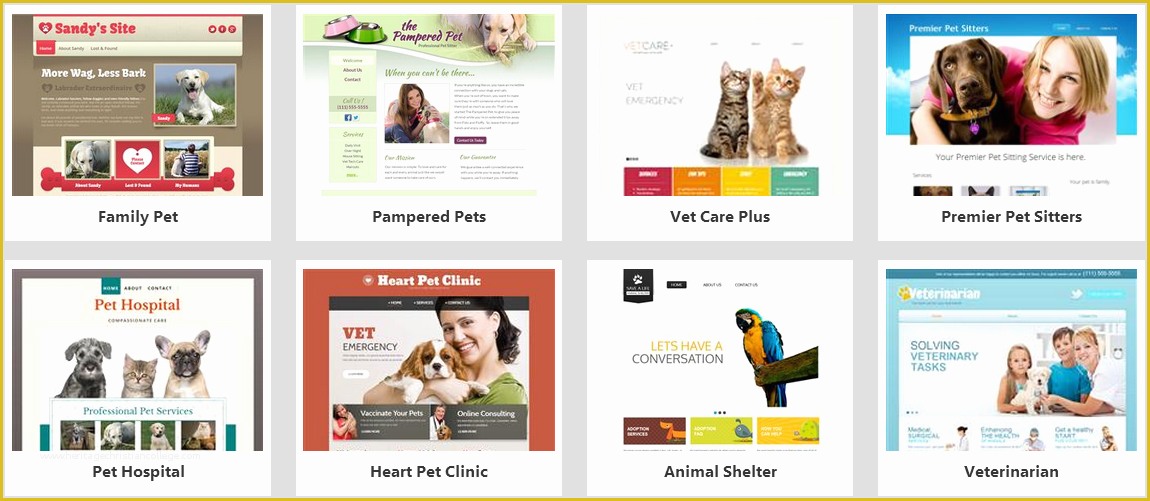
Limitations of Free Templates
While GoDaddy's free templates can be a great starting point, there are some limitations to consider. These include:
Limited selection: While GoDaddy offers a range of free templates, the selection may not be as extensive as some paid template providers.
Limited customization: While users can customize the templates, there may be limitations to what can be changed, especially for non-premium users.
GoDaddy branding: Some free templates may include GoDaddy branding, which can be removed with a paid plan.
Comparison with Paid Templates
When considering GoDaddy's free templates, it's essential to compare them with paid templates. Paid templates often offer more advanced features, customization options, and support. Here's a comparison of some key features:
| <strong>Feature</strong> | <strong>GoDaddy Free Templates</strong> | <strong>Paid Templates</strong> |
|---|---|---|
| <strong>Template selection</strong> | Limited selection | Extensive selection |
| <strong>Customization options</strong> | Basic customization options | Advanced customization options |
| <strong>Support</strong> | Limited support | Priority support |
| <strong>Cost</strong> | Free | Paid |
Practical Tips for Using GoDaddy Free Templates
To get the most out of GoDaddy's free templates, here are some practical tips:
Choose a template that suits your needs: Select a template that aligns with your industry, brand, and content.
Customize the template: Take the time to customize the template to fit your brand and style.
Keep it simple: Don't overcomplicate your website; keep the design clean and simple.
Real-World Examples
Many businesses and individuals have successfully used GoDaddy's free templates to create professional-looking websites. For example, a small business owner might use a free template to create a website for their local service business, including contact information, services offered, and customer testimonials.
FAQs
Here are some frequently asked questions about GoDaddy's free templates:
Q: Are GoDaddy's free templates really free?
Yes, GoDaddy's free templates are free to use, with no hidden costs or charges.
Q: Can I customize GoDaddy's free templates?
Yes, users can customize GoDaddy's free templates to fit their brand and style.
Q: Do GoDaddy's free templates include support?
GoDaddy offers limited support for free template users, with more comprehensive support available for paid users.
Final Tips and Next Steps
GoDaddy's free templates can be a great starting point for creating a professional-looking website. By choosing a template that suits your needs, customizing it to fit your brand, and keeping it simple, you can create a website that effectively communicates your message and establishes your online presence. If you're looking to take your website to the next level, consider exploring GoDaddy's paid plans, which offer more advanced features, customization options, and support. With a little creativity and effort, you can create a website that truly represents your brand and helps you achieve your online goals.
Related: A Practical Guide to GoDaddy Website Templates Free
Related: A Practical Guide to the Best GoDaddy Website Templates
Related: Best Free Email Marketing Tools: A Comprehensive Comparison
Related: 5 Useful Things to Know About Free Online Designing Tools
