
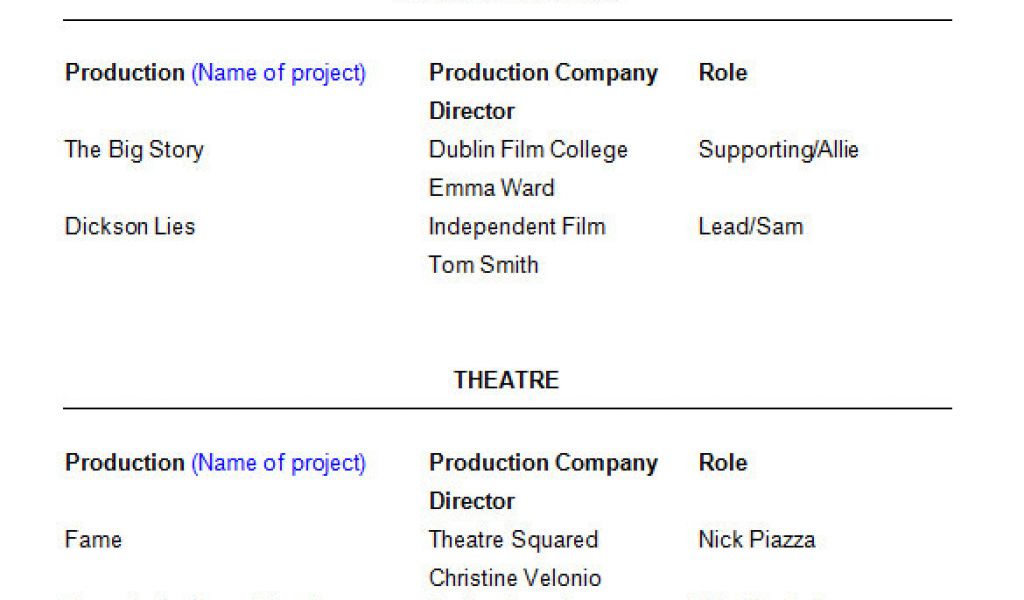
As you start your job search, having a solid resume is crucial. For beginners, a well-crafted resume can make all the difference in getting noticed by potential employers. One of the most important aspects of a resume is its template. With so many options available, choosing the right one can be overwhelming. In this article, we'll explore five useful things to know about resume templates for beginners.
Understanding the Importance of Resume Templates
A resume template serves as a foundation for your resume, providing a structured format to showcase your skills, experience, and education. A good template can help you stand out from the competition, while a poorly designed one can make your resume look unprofessional. When selecting a template, consider the industry you're applying to and the level of experience you have.Choosing a Template Design
Resume templates come in various designs, from simple and clean to elaborate and creative. As a beginner, it's best to stick with a simple and easy-to-read design. Avoid templates with too much clutter, fancy fonts, or excessive colors. Some popular design options include: Chronological: This template is ideal for those with significant work experience. It lists your work experience in reverse chronological order, with the most recent experience first.
Functional: This template focuses on your skills and qualifications rather than your work history. It's perfect for those with gaps in their employment history or limited work experience.
Combination: This template combines the chronological and functional designs, highlighting both your work experience and skills.
Customizing Your Template
Once you've chosen a template, it's essential to customize it to fit your needs. Replace the template's placeholder text with your own information, and make sure to proofread your resume multiple times for grammar and spelling errors. Consider adding relevant sections, such as a summary or objective statement, to help your resume stand out.Optimizing for Applicant Tracking Systems (ATS)
Many companies use applicant tracking systems (ATS) to screen resumes before they're seen by human eyes. To increase your chances of passing the ATS, use keywords related to the job posting in your resume. Also, make sure to save your resume in a format that's easily readable by ATS, such as a Word document or PDF.Common Mistakes to Avoid
When creating a resume template, beginners often make mistakes that can hurt their chances of getting hired. Here are some common mistakes to avoid: Using a generic template: Avoid using a template that's too generic or doesn't showcase your unique skills and experience.
Not tailoring your resume: Customize your resume for each job you apply to, highlighting the skills and qualifications mentioned in the job posting.
Including irrelevant information: Keep your resume focused on relevant work experience, skills, and education. Avoid including hobbies or unrelated work experience.
Comparison of Popular Resume Templates
Here's a comparison of some popular resume templates:| Template | Description | Best for |
|---|---|---|
| <strong>Microsoft Word</strong> | Simple and clean design | Most industries |
| <strong>Google Docs</strong> | Easy to edit and collaborate | Those who prefer cloud-based editing |
| <strong>Canva</strong> | Highly customizable and visually appealing | Creative industries |
Building Trust with Your Resume
To build trust with your resume, make sure to: Be honest: Accurately represent your work experience, skills, and education.
Use action verbs: Use action verbs like "managed," "created," and "developed" to describe your achievements.
Quantify your achievements: Use numbers and statistics to demonstrate the impact of your work.
Frequently Asked Questions
Here are some frequently asked questions about resume templates for beginners: Q: What is the best resume template for a beginner?
The best resume template for a beginner is a simple and clean design that showcases your skills, experience, and education.
Q: How do I choose a resume template?
Choose a template that fits your industry, experience level, and personal style.
Q: Can I use a resume template for multiple job applications?
While you can use a template for multiple job applications, make sure to customize it for each job posting to increase your chances of getting hired.
Q: How do I optimize my resume for ATS?
Use keywords related to the job posting, save your resume in a format that's easily readable by ATS, and avoid using images or tables.
Final Tips
Creating a strong resume template is just the first step in your job search journey. Remember to: Tailor your resume: Customize your resume for each job you apply to.Proofread multiple times: Ensure your resume is error-free and polished.
Practice your interview skills: Prepare to talk about your skills, experience, and achievements.
By following these tips and choosing the right resume template, you'll increase your chances of getting noticed by potential employers and landing your dream job.
Related: Free Best Resume Templates
Related: 5 Useful Things to Know About Travel Agent Checklist Templates
