

Introduction to Checklist Apps
Checklist apps have become an essential tool for anyone looking to stay organized and manage their tasks efficiently. Whether you're a student, a professional, or simply someone who likes to keep track of their daily activities, a good checklist app can make all the difference. With so many options available, it can be challenging to find the right one, especially if you're on a tight budget. In this article, we'll explore some of the best free checklist apps for Windows, highlighting their features, pros, and cons.
What to Look for in a Checklist App
Before diving into our list of top free checklist apps for Windows, it's essential to understand what makes a great checklist app. Here are some key features to look for:
- User Interface: A clean, intuitive interface is crucial for a checklist app. You want to be able to create and manage your lists quickly and easily.
- Task Management: The app should allow you to create, edit, and delete tasks with ease. Look for features like due dates, reminders, and prioritization.
- Customization: A good checklist app should let you customize your lists to suit your needs. This might include different colors, fonts, or the ability to add images or notes.
- Syncing: If you use multiple devices, look for an app that syncs across platforms, so you can access your lists anywhere.
Top Free Checklist Apps for Windows
1. Microsoft To Do
Microsoft To Do is a popular task management app that integrates well with other Microsoft products like Outlook and Office. It offers a clean interface, task prioritization, and due dates.
- Pros: Integrates well with Microsoft ecosystem, easy to use, and syncs across devices.
- Cons: Limited customization options.
2. Trello
Trello is a visual project management tool that uses boards, lists, and cards to organize tasks. It's highly customizable and offers a free version with most of the essential features.
- Pros: Highly customizable, visual interface, and integrates with many third-party apps.
- Cons: Can be overwhelming for simple tasks, and the free version has limitations.
3. Any.do
Any.do is a feature-rich task management app that offers a clean interface, calendar integration, and collaboration features.
- Pros: Feature-rich, clean interface, and collaborative features.
- Cons: Can be complex for simple tasks, and the free version has ads.
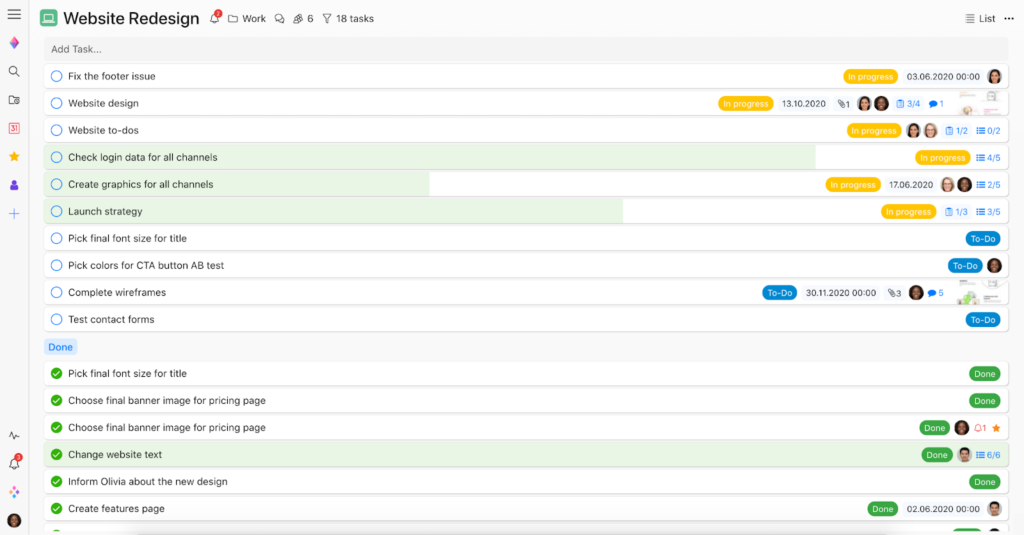
4. Wunderlist
Wunderlist is a simple yet powerful task management app that offers a clean interface, due dates, and reminders.
- Pros: Simple, clean interface, and easy to use.
- Cons: Limited customization options and no longer actively developed.
Comparison of Top Free Checklist Apps
| App | User Interface | Task Management | Customization | Syncing |
|---|---|---|---|---|
| Microsoft To Do | Clean, intuitive | Strong | Limited | Yes |
| Trello | Visual, customizable | Flexible | High | Yes |
| Any.do | Clean, feature-rich | Comprehensive | Medium | Yes |
| Wunderlist | Simple, clean | Basic | Limited | Yes |
"The key to finding the best checklist app for your needs is to identify your priorities. Do you need something simple and straightforward, or are you looking for a feature-rich tool that can handle complex tasks?"
Practical Use Cases
For Students
Students can benefit from using a checklist app to keep track of their assignments, deadlines, and study schedules. Microsoft To Do and Any.do are great options, offering clean interfaces and task prioritization.

For Professionals
Professionals can use checklist apps to manage their tasks, projects, and deadlines. Trello is a popular choice, offering a visual interface and high customization.
Trust and Security
When choosing a checklist app, it's essential to consider trust and security. Look for apps with strong encryption, secure data storage, and transparent privacy policies. Microsoft To Do, Trello, and Any.do are all reputable apps with strong security measures.
FAQs
Q: What is the best free checklist app for Windows?
The best free checklist app for Windows depends on your needs. Microsoft To Do and Any.do are great for simple tasks, while Trello is ideal for complex projects.
Q: Can I use these apps across multiple devices?
Yes, all the apps mentioned offer syncing across devices, so you can access your lists anywhere.
Q: Are these apps secure?
Yes, Microsoft To Do, Trello, and Any.do have strong security measures, including encryption and secure data storage.
Conclusion
Finding the right checklist app can significantly boost your productivity and help you stay organized. By considering your needs and exploring the options outlined in this guide, you can find the perfect free checklist app for Windows. Whether you prioritize simplicity, customization, or integration with other tools, there's a checklist app out there for you. Take the time to explore these options, and you'll be on your way to becoming more organized and efficient in no time.
