
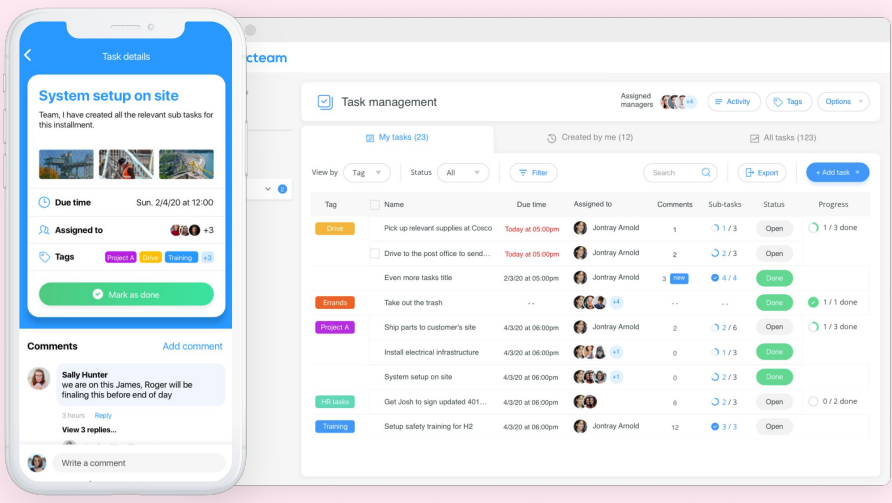
Getting Started with Daily Checklists
Daily checklists are a simple yet powerful tool for boosting productivity and organization. By breaking down your tasks into manageable chunks, you can prioritize your work, reduce stress, and achieve more. With numerous free daily checklist apps available, it's essential to find the one that suits your needs. In this guide, we'll explore the best free daily checklist apps, their features, and how to make the most of them.What to Look for in a Daily Checklist App
When searching for a daily checklist app, consider the following factors: Ease of use: The app should be intuitive and easy to navigate, even for those who aren't tech-savvy.
Features: Look for apps that offer customizable checklists, reminders, and prioritization options.
Integration: Consider apps that integrate with other tools and services you use, such as Google Calendar or Slack.
Cross-platform compatibility: Choose an app that syncs across multiple devices, ensuring you can access your checklists anywhere.
Top Free Daily Checklist Apps
Here are some of the best free daily checklist apps: Trello: A popular project management tool that offers a free version with basic features, including boards, lists, and cards.
Todoist: A feature-rich task management app that offers a free version with limited features, including prioritization and reminders.
Any.do: A user-friendly app that offers a free version with customizable checklists, reminders, and collaboration features.
Google Keep: A simple note-taking app that allows you to create checklists and set reminders.
Microsoft To Do: A task management app that integrates with Outlook and offers a free version with basic features.
Comparison of Top Free Daily Checklist Apps
| App | Features | Integration | Cross-platform compatibility |
|---|---|---|---|
| Trello | Boards, lists, cards, drag-and-drop | Google Drive, Slack | Web, mobile, desktop |
| Todoist | Prioritization, reminders, labels | Google Calendar, Slack | Web, mobile, desktop |
| Any.do | Customizable checklists, reminders, collaboration | Google Drive, Slack | Web, mobile |
| Google Keep | Simple note-taking, checklists, reminders | Google Drive, Google Docs | Web, mobile |
| Microsoft To Do | Task management, prioritization, reminders | Outlook, Google Calendar | Web, mobile, desktop |
Maximizing the Benefits of Daily Checklists
To get the most out of your daily checklist app, follow these tips: Start small: Begin with a manageable number of tasks and gradually increase the size of your checklist.
Prioritize: Focus on the most important tasks first, and use labels or tags to categorize your tasks.
Set reminders: Use reminders to stay on track and ensure you never miss a deadline.
Review and adjust: Regularly review your checklist and adjust it as needed to reflect changes in your priorities.
"The key to making a daily checklist work is to keep it simple and focused on the tasks that matter most. Avoid overwhelming yourself with too many tasks, and prioritize the ones that will have the greatest impact." - Productivity expert
Overcoming Common Challenges
When using daily checklist apps, you may encounter common challenges, such as: Information overload: Too many tasks can be overwhelming. Focus on the essential tasks and break them down into smaller chunks.
Procrastination: Use the Pomodoro Technique to work in focused intervals, followed by breaks.
Distractions: Minimize distractions by turning off notifications and finding a quiet workspace.
Frequently Asked Questions
Q: What is the best free daily checklist app for beginners?
For beginners, we recommend starting with Google Keep or Any.do, as they offer simple and intuitive interfaces.
Q: Can I use daily checklist apps for team collaboration?
Yes, many daily checklist apps, such as Trello and Any.do, offer collaboration features that allow you to work with team members.
Q: How do I prioritize tasks in a daily checklist app?
Most daily checklist apps allow you to prioritize tasks using labels, tags, or numbers. Experiment with different methods to find what works best for you.
Q: Can I integrate daily checklist apps with other tools?
Many daily checklist apps offer integration with other tools and services, such as Google Calendar or Slack. Check the app's features to see what integrations are available.
Conclusion
Finding the best free daily checklist app can be a game-changer for boosting productivity and organization. By considering your needs, exploring top apps, and maximizing the benefits of daily checklists, you can achieve more and reduce stress. Experiment with different apps and techniques to find what works best for you, and start achieving your goals today.Related: Streamline Your Classroom with the Best Online Checklist App
Related: Streamline Your Business with the Best Online Checklist App
Related: Checklist App Free Download: What Actually Makes Sense?
Related: Free Downloadable Design Templates for Stunning Visuals
