

Getting Started with Free Word Resume Templates
When it comes to crafting a compelling resume, the right template can make all the difference. With numerous free Word resume templates available, it can be overwhelming to sift through the options and find the perfect one for your needs. In this guide, we'll walk you through the process of finding and customizing a free Word resume template that showcases your skills and experience.
Benefits of Using Free Word Resume Templates
Using a free Word resume template offers several benefits. For one, it's a cost-effective way to create a professional-looking resume without breaking the bank. Additionally, templates save you time and effort, as you don't have to start from scratch. With a template, you can focus on tailoring your content to the specific job you're applying for, rather than worrying about the design.
Choosing the Right Free Word Resume Template
With so many free Word resume templates available, it's essential to choose one that aligns with your industry, experience level, and personal style. Here are a few factors to consider:
Industry: Different industries have unique requirements and expectations when it comes to resume design. For example, a creative field may allow for more artistic freedom, while a traditional industry may require a more formal approach.
Experience level: If you're just starting out, a simple and clean template may be the best choice. For more experienced professionals, a template with more sections and visual interest may be suitable.
Personal style: Your resume should reflect your personality and brand. Choose a template that showcases your strengths and style.
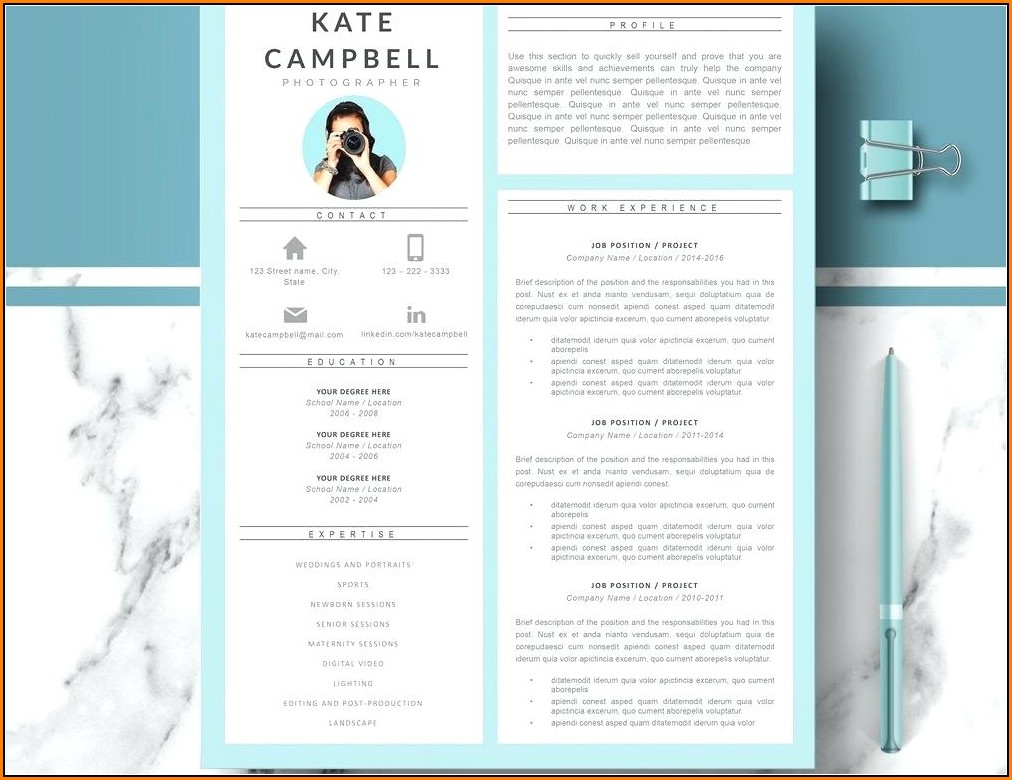
Popular Free Word Resume Templates
Some popular free Word resume templates include:
Microsoft Word's built-in templates: Microsoft offers a range of free resume templates within Word, including the popular "Elegant" and "Modern" designs.
Template.net: This website offers a wide range of free Word resume templates, including modern and traditional designs.
Resume-io: This platform provides a variety of free resume templates, along with tips and resources for creating a standout resume.
Customizing Your Free Word Resume Template
Once you've chosen a template, it's time to customize it to fit your needs. Here are some tips:
Tailor your content: Carefully read through the job description and requirements, and make sure your resume highlights the skills and experience you have to offer.
Use keywords: Many companies use applicant tracking systems (ATS) to screen resumes. Use keywords from the job description to increase the chances of your resume passing through the system.
Add relevant sections: Make sure your resume includes all the necessary sections, such as work experience, education, and skills.
Comparison of Popular Free Word Resume Templates
| Template Name | Industry | Experience Level | Key Features |
|---|---|---|---|
| Elegant | Traditional | Experienced | Clean design, multiple sections |
| Modern | Creative | Experienced | Bold typography, visual interest |
| Simple | Traditional | Entry-level | Clean and concise, easy to read |
Tips for Creating a Standout Resume
Creating a standout resume requires more than just a great template. Here are some expert tips:
Use action verbs: Use action verbs like "managed," "created," and "developed" to describe your achievements.
Quantify your achievements: Use numbers and statistics to demonstrate the impact you've made in your previous roles.
Keep it concise: Keep your resume to one or two pages, and make sure every word counts.
Common Mistakes to Avoid
When creating your resume, there are several common mistakes to avoid:
Typos and grammatical errors: A single mistake can make a negative impression and hurt your chances of getting hired.
Poor formatting: Make sure your resume is easy to read and scan, with clear headings and bullet points.
- Lack of relevance: Make sure your resume is tailored to the specific job you're applying for, and highlights your relevant skills and experience.
Frequently Asked Questions
Q: What are some popular free Word resume templates?
Some popular free Word resume templates include Microsoft Word's built-in templates, Template.net, and Resume-io.
Q: How do I choose the right free Word resume template for my needs?
Consider your industry, experience level, and personal style when choosing a template.
Q: What are some common mistakes to avoid when creating a resume?
Common mistakes to avoid include typos and grammatical errors, poor formatting, and lack of relevance.
Q: How do I customize my free Word resume template?
Tailor your content to the specific job you're applying for, use keywords, and add relevant sections.
Conclusion
Finding the right free Word resume template can make a big difference in your job search. By considering your industry, experience level, and personal style, you can choose a template that showcases your strengths and helps you stand out from the competition. With these expert tips and resources, you'll be well on your way to creating a stunning resume that gets results.
Related: A Practical Guide to Free Resume Templates Online for Word
Related: Best Resume Templates Free Download
Related: Creating an Online Course Template for Success
Related: Best Resume Templates 2026 for a Winning Job Application
