
When Keystrokes Become a Cacophony
The satisfying click of a keyboard key is a thing of beauty. However, when that click turns into a jarring clang or an annoying squeak, it's time to take action. Noisy keyboard keys can be distracting, disrupt your workflow, and even affect your overall typing experience. Fortunately, fixing noisy keyboard keys is often a straightforward process that requires minimal technical expertise.
Understanding the Anatomy of a Keyboard Key
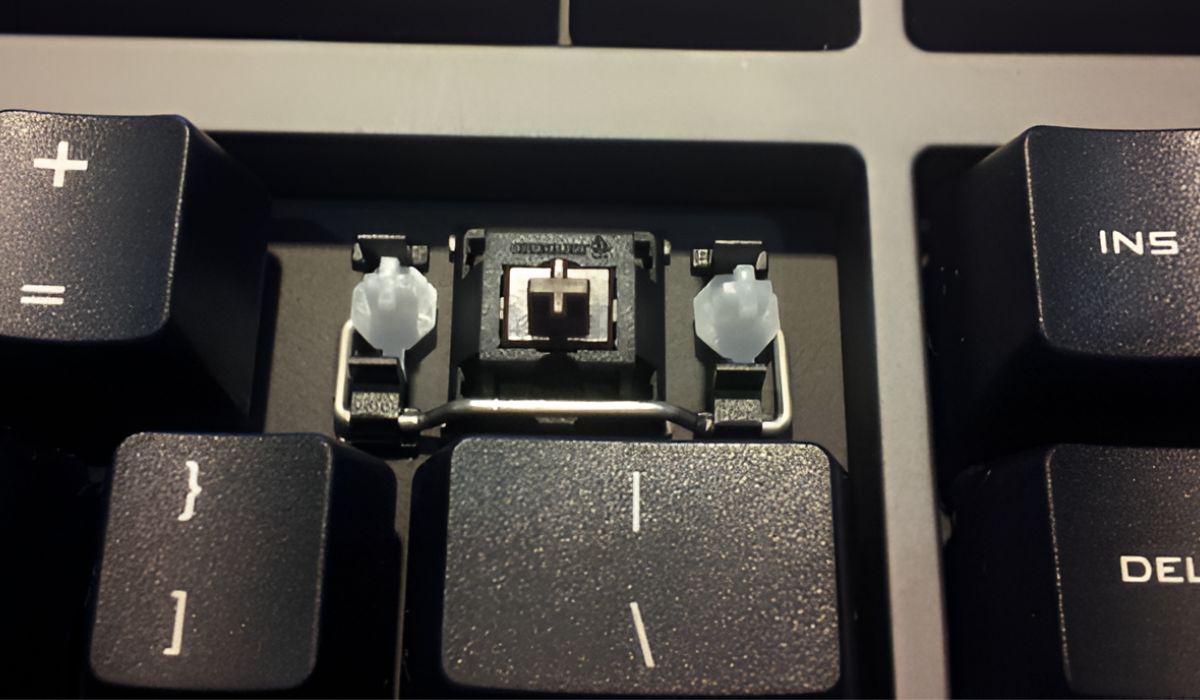
Before diving into the fixes, it's essential to understand the basic components of a keyboard key. A typical keyboard key consists of a keycap, a switch, and a stem. The keycap is the visible part of the key, while the switch and stem are located underneath. The switch is responsible for registering key presses, and the stem connects the keycap to the switch.
Simple Fixes for Noisy Keyboard Keys
Sometimes, the solution to noisy keyboard keys is surprisingly simple.

Cleaning the Keyboard
Dirt, dust, and debris can accumulate under the keycaps, causing noisy keyboard keys. Cleaning the keyboard can often resolve the issue.
Turn your keyboard upside down and gently shake it to remove loose debris.
Use compressed air to blow out dust and dirt from between the keycaps and the keyboard.
Dampen a cloth with water, but make sure it's not soaking wet. Wring it out so that it's almost dry. Gently wipe down the keycaps and the area around them.
Lubricating the Switches
If cleaning the keyboard doesn't work, the next step is to lubricate the switches. This can help reduce friction and silence noisy keyboard keys.
Use a silicone-based lubricant, such as WD-40 or silicone spray.
Spray a small amount of lubricant onto the switch stem and the area around it.
Gently move the keycap up and down to distribute the lubricant.
Deeper Fixes for Persistent Noisy Keyboard Keys
If simple fixes don't resolve the issue, it's time to dig deeper.

Replacing the Switches
If the switches are worn out or damaged, replacing them may be the only solution.
You'll need to purchase replacement switches that match the ones currently on your keyboard.
Use a switch puller to remove the old switch.
Carefully solder the new switch into place.
Adjusting the Keycap Alignment
Misaligned keycaps can cause noisy keyboard keys. Adjusting the keycap alignment can often resolve the issue.
Use a keycap puller to remove the keycap.
Inspect the keycap and the switch stem for any signs of wear or damage.
Adjust the keycap alignment to ensure it's properly seated on the switch stem.
Comparison of DIY Fixes and Professional Repair
| <strong>Fix</strong> | <strong>Cost</strong> | <strong>Time</strong> | <strong>Expertise</strong> |
|---|---|---|---|
| Cleaning | $0 | 10 minutes | Beginner |
| Lubricating | $5-$10 | 15 minutes | Beginner |
| Replacing switches | $10-$50 | 1-2 hours | Intermediate |
| Professional repair | $50-$100 | 1-2 days | Expert |
While DIY fixes can be cost-effective and convenient, professional repair may be the better option if you're not comfortable with hands-on repairs or if the issue is more complex.
When to Seek Professional Help
If you've tried the above fixes and the noisy keyboard keys persist, it may be time to seek professional help.
If you're not comfortable with DIY repairs or don't have the necessary tools.
If the issue is more complex, such as a faulty keyboard controller or a damaged PCB.
- If you're still under warranty, contact the manufacturer for assistance.
Frequently Asked Questions
Q: Why are my keyboard keys so loud?
Noisy keyboard keys can be caused by dirt, dust, and debris accumulation, worn-out or damaged switches, or misaligned keycaps.
Q: Can I use any type of lubricant on my keyboard switches?
No, it's recommended to use a silicone-based lubricant, such as WD-40 or silicone spray, to avoid damaging the switches.
Q: How do I know if I need to replace my keyboard switches?
If cleaning and lubricating the switches don't resolve the issue, or if the switches are visibly worn out or damaged, it's likely time to replace them.
A Quieter Typing Experience Awaits
Fixing noisy keyboard keys can significantly improve your typing experience. By following these practical steps and troubleshooting tips, you can silence annoying sounds and enjoy a more comfortable typing experience. Whether you're a DIY enthusiast or prefer professional help, there's a solution to suit your needs. Say goodbye to noisy keyboard keys and hello to a more peaceful workspace.
The End.
Related: Waking Up with Numb Hands? Here's How to Fix Hand Numbness
Related: easy lunch ideas under 10 minutes
