
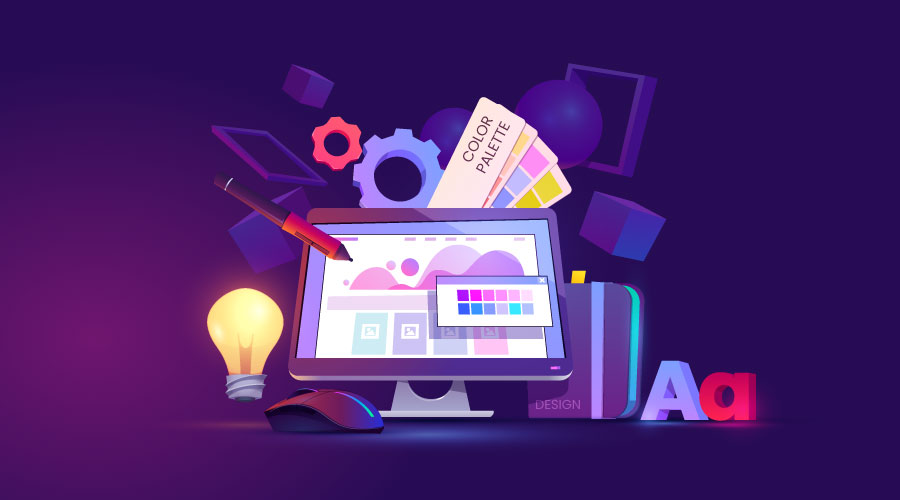
Getting Started with Free Online Design Tools
As a creative professional or someone looking to elevate their visual content, you don't need to break the bank to access powerful design tools. The internet is filled with free online design tools that can help you create stunning graphics, digital art, and more. But with so many options available, it can be overwhelming to choose the right one. In this guide, we'll walk you through some of the best free online design tools, their features, and how to use them effectively.
Graphic Design Tools
When it comes to graphic design, there are several free online tools that can help you create professional-looking visuals. Here are a few of our favorites:
Canva: One of the most popular free online design tools, Canva offers a wide range of templates, design elements, and a user-friendly interface. It's perfect for creating social media graphics, presentations, and more.
GIMP: A free and open-source raster graphics editor, GIMP is similar to Adobe Photoshop. It offers advanced features like layers, filters, and effects, making it a great option for those looking for a more professional design experience.
Pixlr: A free online photo editor, Pixlr offers a range of tools and filters to enhance and edit your images. It's perfect for creating stunning visuals for social media, blogs, and more.
Digital Art and Illustration Tools
If you're looking to create digital art or illustrations, there are several free online tools that can help. Here are a few of our top picks:
Krita: A free and open-source digital painting software, Krita offers a range of brush engines, including customizable brushes, textures, and effects. It's perfect for creating stunning digital art.
Inkscape: A free and open-source vector graphics editor, Inkscape is similar to Adobe Illustrator. It offers advanced features like layers, paths, and effects, making it a great option for those looking to create professional-looking illustrations.
Autodesk Sketchbook: A free online drawing and painting tool, Autodesk Sketchbook offers a range of brushes, pencils, and markers to help you create stunning digital art.
Comparison of Free Online Design Tools
| Tool | Features | User Interface | Skill Level |
|---|---|---|---|
| Canva | Templates, design elements, user-friendly interface | Easy | Beginner-friendly |
| GIMP | Advanced features like layers, filters, and effects | Steep learning curve | Intermediate to advanced |
| Pixlr | Photo editing tools and filters | Easy | Beginner-friendly |
| Krita | Customizable brushes, textures, and effects | Steep learning curve | Intermediate to advanced |
| Inkscape | Advanced features like layers, paths, and effects | Steep learning curve | Intermediate to advanced |
| Autodesk Sketchbook | Range of brushes, pencils, and markers | Easy | Beginner-friendly |
"The best free online design tools are those that offer a range of features, a user-friendly interface, and flexibility. Whether you're a beginner or an experienced designer, there's a tool out there that's right for you."
Practical Tips for Using Free Online Design Tools
When using free online design tools, here are a few practical tips to keep in mind:
Start with a clear idea: Before you begin designing, have a clear idea of what you want to create. This will help you choose the right tool and features for the job.
Experiment and play: Don't be afraid to try new things and experiment with different features and tools. This is a great way to learn and discover new techniques.
Use tutorials and resources: Many free online design tools offer tutorials and resources to help you get started. Take advantage of these to learn new skills and improve your design experience.
Trust-Building: What to Look for in a Free Online Design Tool
When choosing a free online design tool, there are several factors to consider. Here are a few things to look for:
Features and functionality: Make sure the tool offers the features and functionality you need to create your design.
User interface and ease of use: Choose a tool with a user-friendly interface that's easy to navigate.
Community and support: Look for tools with an active community and support resources, such as tutorials and forums.
Frequently Asked Questions
Here are a few frequently asked questions about free online design tools:
Q: What is the best free online design tool for beginners? Canva and Pixlr are great options for beginners, offering user-friendly interfaces and a range of features.
Q: Can I use free online design tools for commercial purposes?
It depends on the tool and its licensing terms. Be sure to check the terms and conditions before using a tool for commercial purposes.
- Q: Are free online design tools as good as paid tools?
While free online design tools can be powerful and effective, they may not offer the same level of features and functionality as paid tools.
Conclusion
Free online design tools offer a range of possibilities for creative professionals and individuals looking to elevate their visual content. By choosing the right tool and features for the job, you can create stunning graphics, digital art, and more without breaking the bank. Whether you're a beginner or an experienced designer, there's a free online design tool out there that's right for you.
Related: Customize Resume Template Online
Related: What to Know About Free Resume Templates in Word
Related: Discover the Best Free Online Course Platforms for Learning
