
Getting Started with Your Online Presence
Creating a website can seem like a daunting task, especially if you're new to the world of web development. But with the right tools and a bit of guidance, you can have a professional-looking website up and running in no time. As a beginner, you're likely looking for a website builder that's easy to use, affordable, and offers the features you need to get started. In this article, we'll explore the best website builders for beginners and provide a clear guide on how to choose the perfect one for your needs.
What to Look for in a Website Builder
When selecting a website builder, there are several key factors to consider. First and foremost, you want a builder that's user-friendly and doesn't require a steep learning curve. You'll also want to consider the types of features you need, such as e-commerce integration, customizable templates, and mobile responsiveness. Additionally, think about your budget and the level of customer support you require.
Key Features to Consider
Ease of use: Look for a builder with a drag-and-drop interface or a visual editor that makes it easy to create and customize your website.
Template selection: Choose a builder with a wide range of customizable templates that fit your industry and style.
E-commerce integration: If you plan to sell products or services online, look for a builder with built-in e-commerce features.
Customer support: Consider a builder with 24/7 customer support, such as live chat, phone, or email support.
Top Website Builders for Beginners
Based on our research and testing, here are some of the top website builders for beginners:
1. Wix
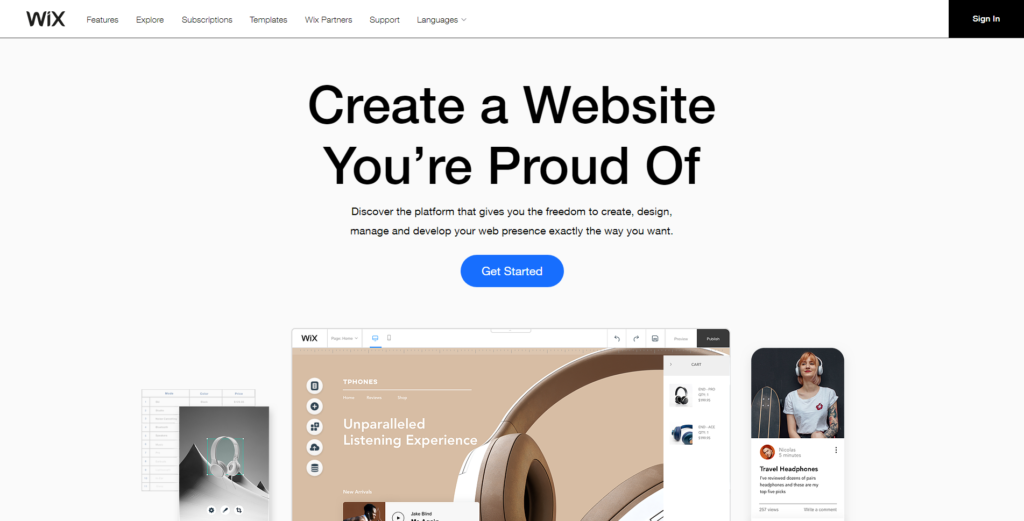
Wix is a popular website builder that's known for its ease of use and wide range of customizable templates. With Wix, you can create a website in minutes using its drag-and-drop editor. It also offers a range of features, including e-commerce integration, mobile responsiveness, and SEO optimization.
2. Squarespace
Squarespace is a stylish website builder that's perfect for creatives and small businesses. It offers a range of modern templates and a user-friendly interface that makes it easy to create a website. Squarespace also offers e-commerce integration, mobile responsiveness, and SEO optimization.
3. Weebly
Weebly is a popular website builder that's known for its ease of use and flexibility. It offers a range of customizable templates and a drag-and-drop editor that makes it easy to create a website. Weebly also offers e-commerce integration, mobile responsiveness, and SEO optimization.
Comparison of Top Website Builders
| Website Builder | Ease of Use | Template Selection | E-commerce Integration | Price |
|---|---|---|---|---|
| Wix | 9/10 | 8/10 | 9/10 | $14-$25/month |
| Squarespace | 8.5/10 | 9/10 | 8.5/10 | $14-$26/month |
| Weebly | 9/10 | 7.5/10 | 8.5/10 | $12-$25/month |
"The key to creating a successful website is to choose a builder that's easy to use and offers the features you need. Don't be afraid to try out a few different options until you find the one that's right for you." - Rachel, Web Development Expert
Practical Tips for Choosing the Right Website Builder
When choosing a website builder, it's essential to consider your specific needs and goals. Here are a few practical tips to keep in mind:
Start small: Don't try to create a website that's too complex or ambitious. Start with a simple site and gradually add more features and complexity as you become more comfortable.
Consider your budget: Website builders can range in price from free to several hundred dollars per month. Make sure you choose a builder that fits your budget and offers the features you need.
Read reviews and do research: Don't rely on a single review or testimonial. Read multiple reviews and do your research to get a well-rounded view of a website builder's strengths and weaknesses.
Building Trust with Your Website Builder
When choosing a website builder, it's essential to consider the level of trust and support you need. Here are a few factors to consider:
Customer support: Look for a builder that offers 24/7 customer support, such as live chat, phone, or email support.
Community and resources: Consider a builder with an active community and a range of resources, such as tutorials, webinars, and forums.
Security and reliability: Make sure your website builder offers robust security and reliability features, such as SSL encryption and regular backups.
Frequently Asked Questions
Q: What is the easiest website builder to use?
Wix and Weebly are often cited as two of the easiest website builders to use, thanks to their drag-and-drop editors and user-friendly interfaces.
Q: Can I create an e-commerce website with a website builder?
Yes, many website builders offer e-commerce integration, including Wix, Squarespace, and Weebly.
Q: How much does a website builder cost?
Website builders can range in price from free to several hundred dollars per month. The cost will depend on the features you need and the level of support you require.
Getting Started with Your Website
Creating a website can seem overwhelming, but with the right tools and a bit of guidance, you can have a professional-looking website up and running in no time. By choosing a website builder that's easy to use and offers the features you need, you can focus on creating a website that reflects your brand and helps you achieve your goals.
Related: Best Free Content Calendar
