
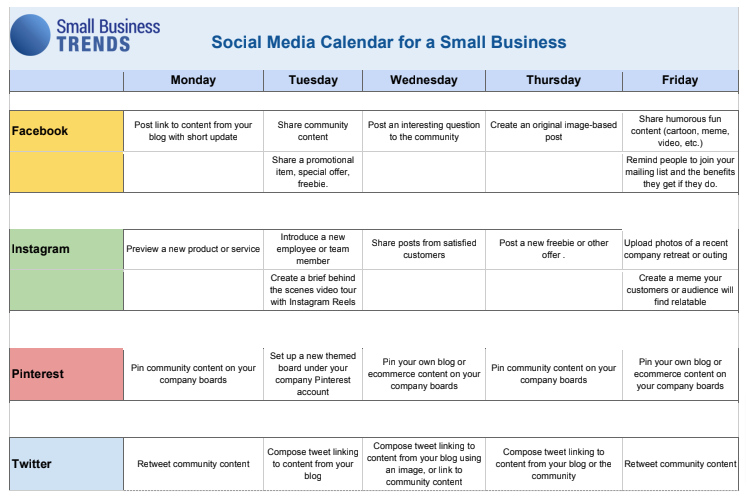
Best Free Content Calendars for Efficient Planning
Finding the right content calendar can be a daunting task, especially when you're on a tight budget. A content calendar is essential for planning, organizing, and scheduling content across various platforms, ensuring consistency and efficiency. In this article, we'll explore some of the best free content calendars that can help you achieve your content goals without breaking the bank.
What is a Content Calendar and Why Do You Need One?
A content calendar, also known as an editorial calendar, is a tool used to plan, organize, and schedule content across various platforms, including social media, blogs, and websites. It helps you visualize your content strategy, ensuring that you publish content consistently and efficiently. A content calendar can help you:
Plan and organize content in advance
Ensure consistency across all platforms
Save time and reduce stress
Improve collaboration among team members
Analyze and adjust your content strategy
Top Free Content Calendars
Here are some of the best free content calendars available:
1. Google Calendar
Google Calendar is a popular and versatile tool that can be used as a content calendar. It's free, easy to use, and integrates with other Google tools.
Pros: Free, easy to use, integrates with other Google tools
Cons: Limited features, not specifically designed for content planning
2. Trello
Trello is a visual project management tool that can be used as a content calendar. It's free, flexible, and customizable.
Pros: Free, flexible, customizable, visual interface
Cons: Can be overwhelming for large teams, limited features in free version
3. Hootsuite Planner
Hootsuite Planner is a free content calendar tool that allows you to plan and schedule social media content in advance.
Pros: Free, easy to use, specifically designed for social media planning
Cons: Limited features, only suitable for social media planning
4. Buffer
Buffer is a popular social media management tool that offers a free content calendar feature.
Pros: Free, easy to use, specifically designed for social media planning
Cons: Limited features, only suitable for social media planning
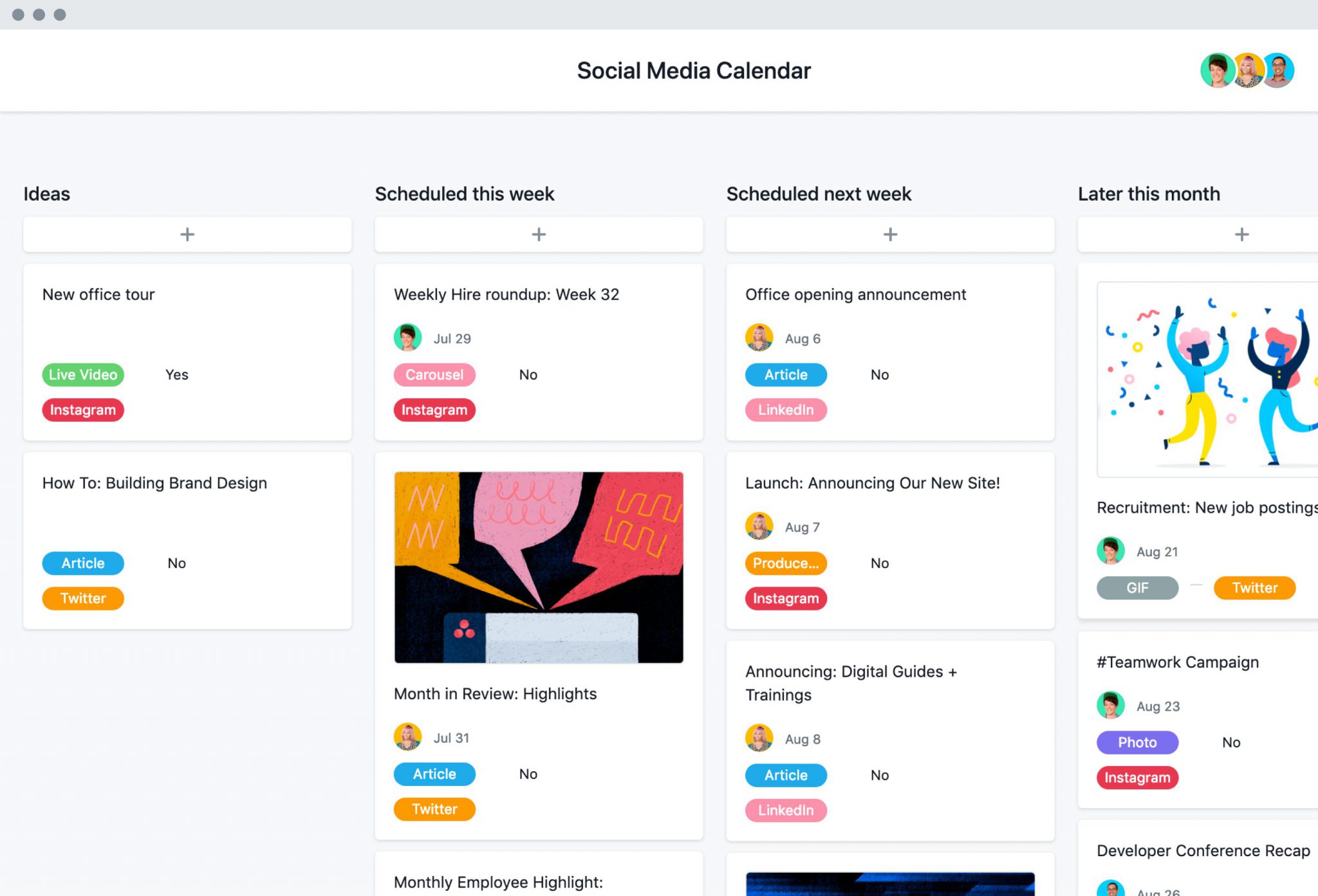
5. Asana
Asana is a project management tool that can be used as a content calendar. It's free, flexible, and customizable.
Pros: Free, flexible, customizable, suitable for large teams
Cons: Can be overwhelming for small teams, limited features in free version
Comparison of Free Content Calendars
| Tool | Features | Pros | Cons | Suitable for |
|---|---|---|---|---|
| Google Calendar | Basic calendar features | Free, easy to use | Limited features | Small teams, personal use |
| Trello | Visual interface, customizable boards | Free, flexible | Limited features in free version | Small to medium teams |
| Hootsuite Planner | Social media planning, scheduling | Free, easy to use | Limited features | Social media teams |
| Buffer | Social media planning, scheduling | Free, easy to use | Limited features | Social media teams |
| Asana | Project management features, customizable | Free, flexible | Can be overwhelming | Large teams |
"A content calendar is not just a tool, it's a mindset shift. It helps you think ahead, plan strategically, and execute efficiently." - Anonymous
How to Choose the Best Free Content Calendar for Your Needs
When choosing a free content calendar, consider the following factors:
Your content goals: What type of content do you want to plan and schedule? (e.g., social media, blog posts, videos)
Team size and collaboration: How many team members will be using the content calendar? Do you need features like task assignment and commenting?
Ease of use: How easy is the tool to use and navigate?
Features and customization: What features do you need? Can you customize the tool to fit your needs?
Practical Tips for Using a Free Content Calendar
Here are some practical tips for using a free content calendar:
Start small: Begin with a simple content calendar and gradually add more features and complexity as needed.
Customize your calendar: Tailor your content calendar to fit your specific needs and workflow.
Collaborate with your team: Invite team members to use the content calendar and assign tasks and responsibilities.
Review and adjust: Regularly review your content calendar and adjust your strategy as needed.
Common Mistakes to Avoid When Using a Free Content Calendar
Here are some common mistakes to avoid when using a free content calendar:
Not customizing your calendar: Failing to tailor your content calendar to fit your specific needs and workflow.
Not collaborating with your team: Not inviting team members to use the content calendar and assign tasks and responsibilities.
Not reviewing and adjusting: Not regularly reviewing your content calendar and adjusting your strategy as needed.
FAQs
Here are some frequently asked questions about free content calendars:
Q: What is the best free content calendar? The best free content calendar depends on your specific needs and goals. Consider factors like ease of use, features, and collaboration when choosing a tool.
Q: Can I use Google Calendar as a content calendar?
Yes, Google Calendar can be used as a content calendar, but it may not have all the features you need, especially if you're planning and scheduling content across multiple platforms.
- Q: Are free content calendars suitable for large teams?
Some free content calendars, like Asana and Trello, offer features suitable for large teams, but may have limitations in their free versions.
Conclusion
Related: Mastering Free Online Email Marketing Tools Without the Hassle
Related: What to Know About Website Templates Builder for Beginners
