
Understanding the Importance of a Content Calendar
A content calendar is a vital tool for any content creator, marketer, or business owner looking to plan and organize their content in advance. It helps ensure consistency, reduces last-minute scrambles, and enables better collaboration among team members. However, creating a content calendar from scratch can be daunting. This is where a content calendar template comes into play.
What is a Content Calendar Template?
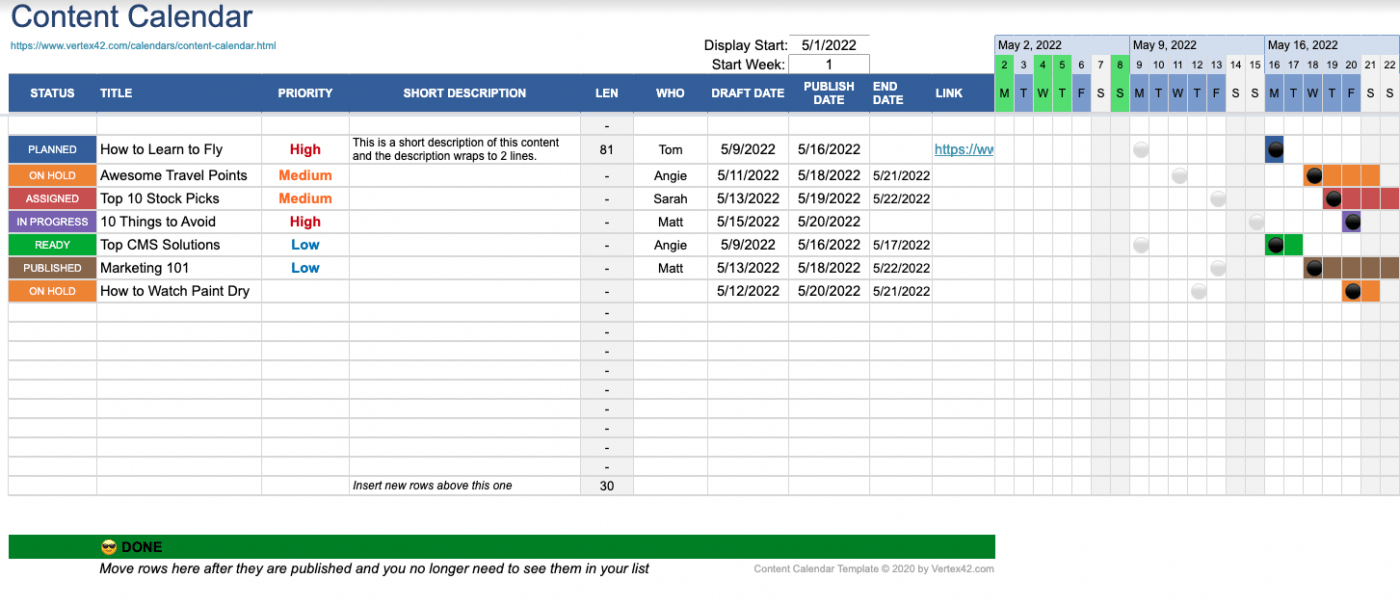
A content calendar template is a pre-designed spreadsheet or document that provides a structured format for planning and organizing your content. It typically includes columns or sections for date, content type, topic, author, status, and other relevant details. Using a template saves time and effort, allowing you to focus on creating high-quality content.
Choosing the Right Content Calendar Template
When selecting a content calendar template, consider the following factors:
Ease of use: Choose a template that is easy to understand and navigate, even for team members who may not be familiar with content planning.
Customizability: Opt for a template that allows you to add or remove columns and sections as needed to fit your specific requirements.
Collaboration features: If you work with a team, look for a template that enables multiple users to access and edit the calendar simultaneously.
Popular Content Calendar Templates
Some popular content calendar templates include:
Google Sheets templates, which offer a range of pre-designed templates and easy collaboration features
Microsoft Excel templates, which provide advanced formatting and calculation capabilities
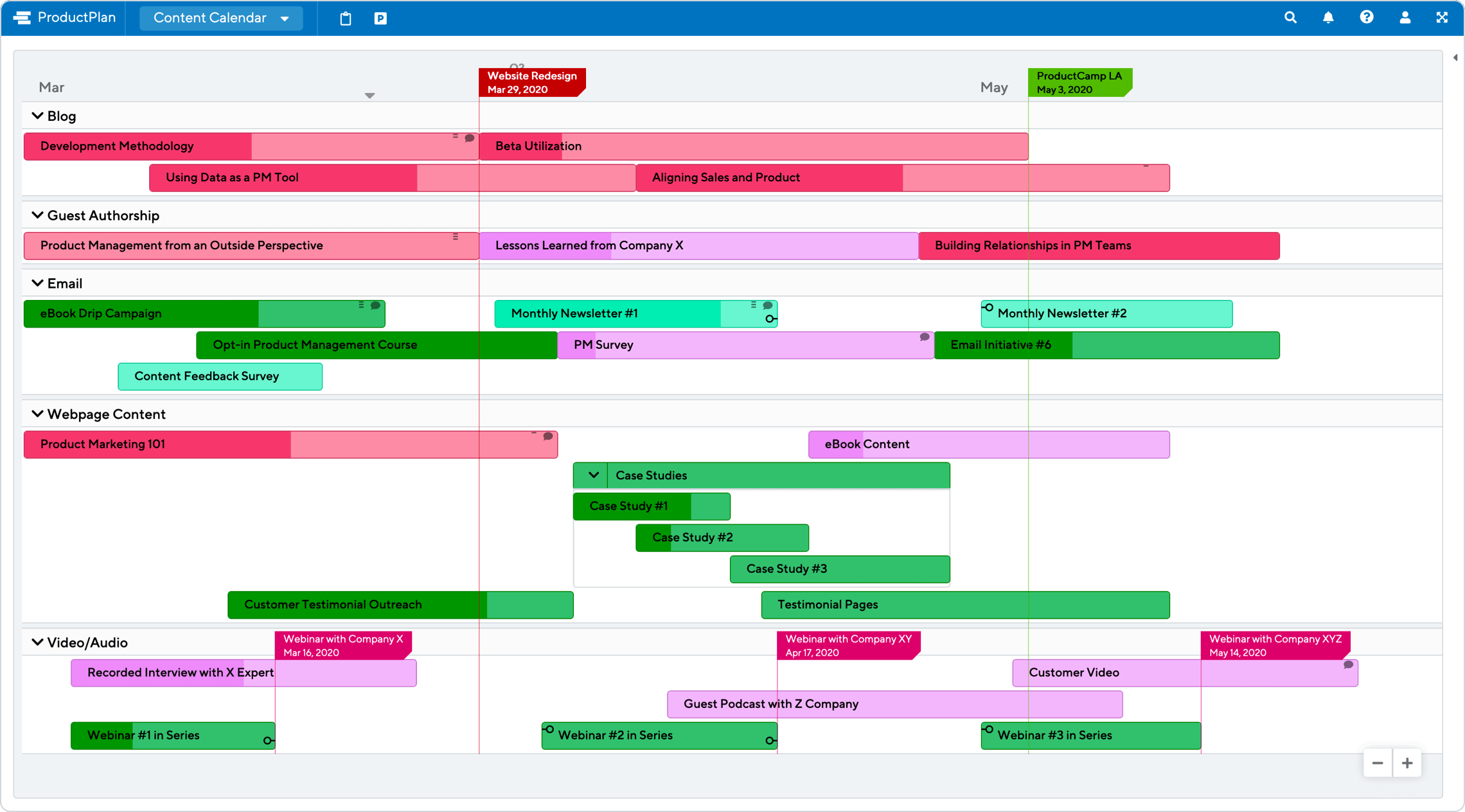
Trello boards, which offer a visual and flexible approach to content planning

Setting Up Your Content Calendar Template
Once you've chosen a template, it's time to set it up for your specific needs. Here are some steps to follow:
- Define your content types: Identify the types of content you'll be creating, such as blog posts, social media posts, or email newsletters.
- Establish a content schedule: Determine how often you'll publish content and on which channels.
- Assign roles and responsibilities: Clearly define who will be responsible for creating, editing, and publishing content.
Using Your Content Calendar Template Effectively
To get the most out of your content calendar template, follow these best practices:
Keep it up-to-date: Regularly update your calendar to reflect changes in your content schedule or team responsibilities.
Use it as a collaboration tool: Share your calendar with team members and encourage them to provide feedback and suggestions.
Review and adjust: Regularly review your calendar to identify areas for improvement and adjust your strategy as needed.
Common Mistakes to Avoid
When using a content calendar template, avoid the following common mistakes:
Not customizing the template: Failing to tailor the template to your specific needs can lead to confusion and inefficiency.
Not updating the calendar: Neglecting to update the calendar can result in outdated information and missed deadlines.
Not collaborating with team members: Failing to involve team members in the content planning process can lead to misunderstandings and duplicated effort.
Comparison of Content Calendar Templates
| Template | Ease of use | Customizability | Collaboration features |
|---|---|---|---|
| Google Sheets | High | High | High |
| Microsoft Excel | Medium | High | Medium |
| Trello | High | Medium | High |
FAQs
Q: What is the best content calendar template for small businesses?
The best content calendar template for small businesses is one that is easy to use, customizable, and offers collaboration features. Google Sheets templates and Trello boards are popular choices.
Q: How do I create a content calendar template in Excel?
To create a content calendar template in Excel, start by opening a new spreadsheet and adding columns for date, content type, topic, author, and status. Customize the template as needed to fit your specific requirements.
Q: Can I use a content calendar template for social media planning?
Yes, a content calendar template can be used for social media planning. Simply customize the template to include columns for social media platforms, post types, and engagement metrics.
Q: How often should I update my content calendar template?
It's recommended to update your content calendar template regularly, ideally on a weekly or monthly basis, to reflect changes in your content schedule or team responsibilities.
Conclusion
A content calendar template is a valuable tool for streamlining your content planning and boosting productivity. By choosing the right template, setting it up correctly, and using it effectively, you can ensure consistency, reduce last-minute scrambles, and enable better collaboration among team members. Avoid common mistakes, compare different templates, and follow best practices to get the most out of your content calendar template.
Related: Free Resume Template for Word
Related: Digital Resume Template for Professionals
Related: 5 Useful Things to Know About Free Microsoft Word Resume
