
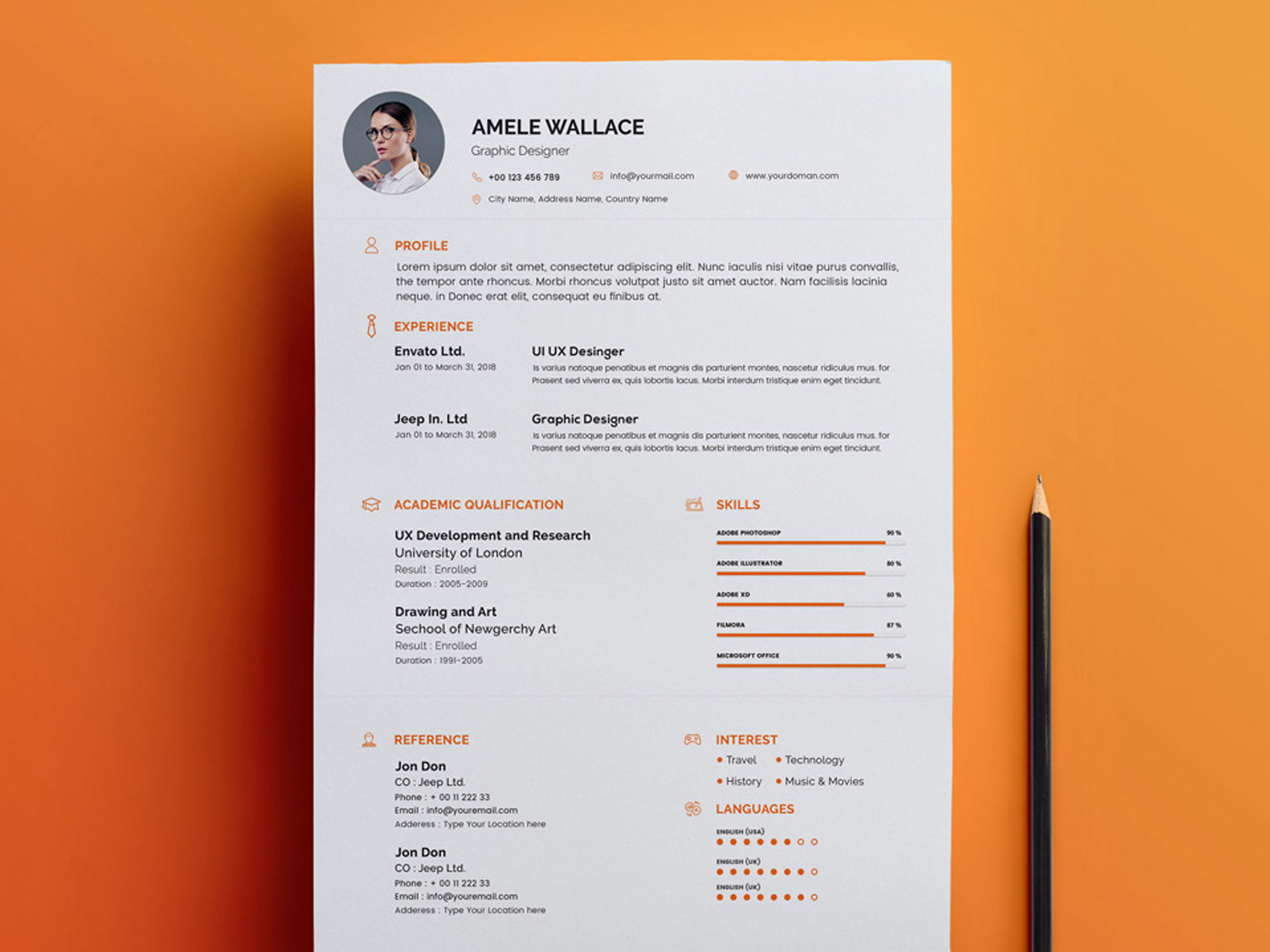
The Power of a Well-Designed Resume
In the competitive job market, a well-crafted resume can make all the difference in standing out from the crowd and landing an interview. With the rise of online template platforms, creating a visually appealing and effective resume has become more accessible than ever. However, with so many options available, it's essential to understand the benefits and drawbacks of using online templates and how to customize them to showcase your skills and experience.
Choosing the Right Online Template
With hundreds of online template platforms offering a wide range of designs and formats, selecting the right one can be overwhelming. Some popular options include Canva, Resume.io, and LinkedIn's Resume Builder. When choosing a template, consider the industry you're applying to, your level of experience, and your personal style. For instance, a creative professional may opt for a bold and colorful template, while a corporate executive may prefer a more traditional and conservative design.
Key Features to Look for in an Online Template
Customization options: Look for templates that allow you to easily add or remove sections, change font styles and sizes, and upload your own logo or image.
Pre-designed layouts: Choose a template with a pre-designed layout that aligns with your content and makes it easy to scan.
Applicant tracking system (ATS) compatibility: Ensure the template is optimized for ATS, which can help your resume pass through automated screenings.
Customizing Your Template
Once you've selected a template, it's essential to customize it to showcase your skills, experience, and achievements. A generic, one-size-fits-all approach can lead to a resume that fails to stand out. Consider the following tips:
Tailor your objective: Write a compelling objective statement that highlights your career goals and relevant experience.
Emphasize achievements: Use specific numbers and metrics to demonstrate the impact of your work, rather than just listing job responsibilities.
Use keywords: Incorporate relevant keywords from the job posting to help your resume pass through ATS and catch the eye of the hiring manager.

Design and Layout Considerations
A well-designed resume is not just visually appealing; it also helps to organize your content and make it easy to scan. Consider the following design and layout considerations:
Font styles and sizes: Choose a clear, legible font and use headings and subheadings to create a hierarchy of information.
Margins and spacing: Use sufficient margins and spacing to make your resume easy to read and avoid overwhelming the reader.
Visual elements: Use visual elements, such as icons, charts, or graphs, to break up the text and highlight important information.
Optimizing for Applicant Tracking Systems
Many companies use ATS to screen and filter resumes before they even reach a human recruiter. To increase your chances of passing through ATS, consider the following optimization tips:
Use keywords: Incorporate relevant keywords from the job posting to help your resume pass through ATS.
Use a clear format: Use a clear, concise format with bullet points and white space to make it easy for ATS to parse your content.
Save in a compatible format: Save your resume in a compatible format, such as PDF or Word, to ensure ATS can read it.
Common Mistakes to Avoid
When creating a resume with online templates, it's easy to fall into common pitfalls. Avoid the following mistakes:
Over-reliance on templates: Don't rely too heavily on templates; customize your content to showcase your skills and experience.
Lack of tailoring: Failing to tailor your resume to the specific job posting can lead to a generic, unremarkable resume.
Typos and errors: A single typo or error can make a negative impression and hurt your chances of getting an interview.
FAQs
Q: What is the best online template platform for creating a resume?
The best online template platform for creating a resume depends on your specific needs and preferences. Popular options include Canva, Resume.io, and LinkedIn's Resume Builder.
Q: How do I customize my resume template to fit my industry?
To customize your resume template to fit your industry, consider the industry's norms and standards, and choose a template that aligns with those expectations.
Q: What are the most important elements to include in my resume?
The most important elements to include in your resume are your contact information, professional summary, education, work experience, and relevant skills.
Q: How do I optimize my resume for ATS?
To optimize your resume for ATS, use relevant keywords from the job posting, use a clear format, and save in a compatible format.
Final Tips and Takeaways
Creating a winning resume with online templates requires a strategic approach. By choosing the right template, customizing your content, and optimizing for ATS, you can increase your chances of standing out from the crowd and landing an interview. Remember to:
Be strategic: Tailor your resume to the specific job posting and industry.Be creative: Use visual elements and design considerations to make your resume visually appealing.
Be precise: Use specific numbers and metrics to demonstrate the impact of your work.
By following these tips and best practices, you can create a compelling resume that showcases your skills and experience and helps you achieve your career goals.
Related: A Practical Guide to Budget Planner Template Free Download
Related: What to Know About Email Marketing Tools and Templates
Related: Budget Planner Template Excel: What Actually Makes Sense?
Related: Free Small Business Ideas for Ambitious Entrepreneurs
