

Taking Control of Your Finances
As a beginner, managing your finances can seem daunting. Where do you start? How do you track your expenses, income, and savings goals? A budget planner template can be a great tool to help you get started. In this article, we'll explore the best budget planner templates for beginners, their features, and how to choose the one that suits your needs.
What is a Budget Planner Template?
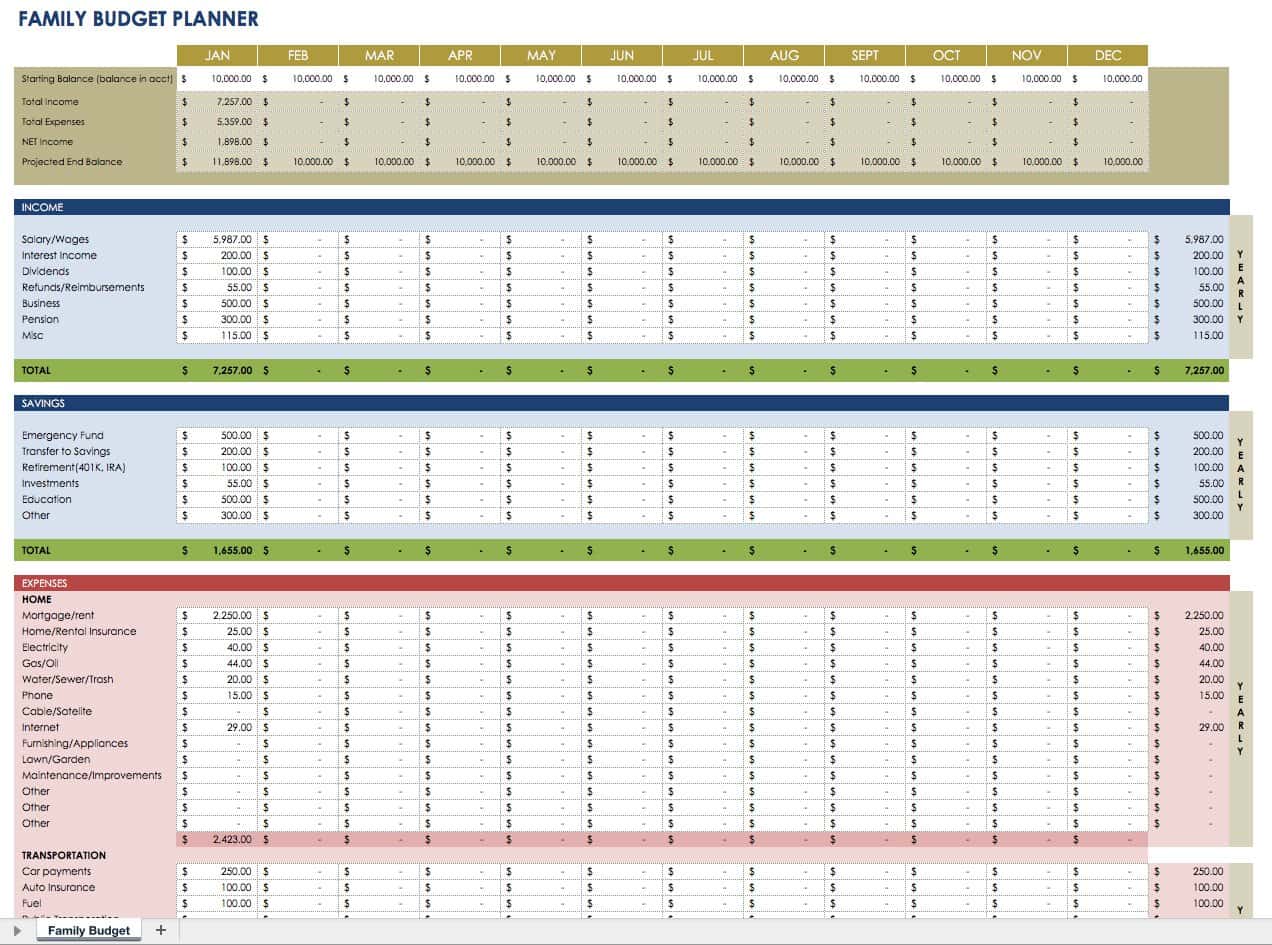
A budget planner template is a pre-designed spreadsheet or document that helps you organize your financial data. It typically includes sections for income, expenses, savings, and debt repayment. Using a template can save you time and effort, as you don't have to create a budget from scratch.
Benefits of Using a Budget Planner Template
Easy to use: budget planner templates are designed to be user-friendly, even for those with limited financial knowledge.
Time-saving: Templates provide a structure for your financial data, making it easier to track and manage.
Customizable: Many templates allow you to adjust categories and sections to fit your specific financial situation.
Top Budget Planner Templates for Beginners
1. Microsoft Excel Budget Template
The Microsoft Excel budget template is a popular choice among beginners. It provides a simple and intuitive design, with sections for income, expenses, and savings.
Pros:
Wide availability of Excel software
Easy to use and customize
Automatic calculations
Cons:
Limited features compared to other templates
Requires Excel software or subscription
2. Google Sheets Budget Template
The Google Sheets budget template is another popular option. It offers real-time collaboration and automatic saving, making it ideal for those who work with a partner or financial advisor.
Pros:
Cloud-based, accessible from anywhere
Real-time collaboration
Automatic saving
Cons:
Requires Google account and internet connection
Limited features compared to Excel

3. Vertex42 Budget Template
The Vertex42 budget template is a comprehensive and customizable option. It includes sections for income, expenses, savings, and debt repayment, as well as a dashboard for tracking progress.
Pros:
Highly customizable
Comprehensive financial tracking
Includes a dashboard for visualizing progress
Cons:
Steeper learning curve due to advanced features
Requires Excel software or subscription
Comparison of Budget Planner Templates
| Template | Ease of Use | Customization | Features | Cost |
|---|---|---|---|---|
| Microsoft Excel | 8/10 | 7/10 | 6/10 | $ |
| Google Sheets | 8/10 | 7/10 | 6/10 | Free |
| Vertex42 | 7/10 | 9/10 | 9/10 | $ |
How to Choose the Best Budget Planner Template
When selecting a budget planner template, consider the following factors:
Ease of use: Choose a template with an intuitive design and user-friendly interface.
Customization: Select a template that allows you to adjust categories and sections to fit your specific financial situation.
Features: Consider the features you need, such as automatic calculations, budgeting categories, and tracking progress.
Cost: Determine your budget for a template or software subscription.
Tips for Using a Budget Planner Template
Start with accurate data: Gather your financial documents, including pay stubs, bills, and bank statements.
Set realistic goals: Establish achievable savings and debt repayment targets.
Regularly review and update: Schedule regular check-ins to track progress and make adjustments.
Common Mistakes to Avoid
Not tracking expenses: Failing to record expenses can lead to inaccurate budgeting and financial decisions.
Not setting realistic goals: Setting unachievable targets can lead to frustration and abandonment of the budgeting process.
Not reviewing and updating: Neglecting to regularly review and update your budget can result in stagnation and financial setbacks.
Frequently Asked Questions
Q: What is the best budget planner template for beginners?
The best budget planner template for beginners depends on individual needs and preferences. Popular options include Microsoft Excel, Google Sheets, and Vertex42.
Q: How do I choose a budget planner template?
Consider ease of use, customization, features, and cost when selecting a budget planner template.
Q: Can I use a budget planner template for multiple people?
Yes, many budget planner templates, such as Google Sheets, allow for real-time collaboration and can be used by multiple people.
Q: How often should I review and update my budget?
It's recommended to review and update your budget regularly, ideally every 1-3 months, to track progress and make adjustments.
Taking Control of Your Financial Future
By using a budget planner template, you can take the first step towards managing your finances effectively. Choose a template that suits your needs, and don't be afraid to adjust and refine it as you go along. With time and practice, you'll become more confident in your financial decision-making, and you'll be on your way to achieving your long-term goals. You have the power to create the financial future you want; start by taking control of your finances today.
