
The Landscape of Free Online Design Tools
The proliferation of free online design tools has democratized access to design software, allowing individuals and businesses to create professional-looking content without breaking the bank. With so many options available, it can be overwhelming to navigate the landscape of free online design tools. In this article, we'll evaluate the best free online design tools for various design needs, from graphic design to web development.
Graphic Design: Canva vs. Adobe Spark
When it comes to graphic design, two popular free online design tools are Canva and Adobe Spark. Both tools offer a range of templates, design elements, and user-friendly interfaces. However, there are key differences between the two.
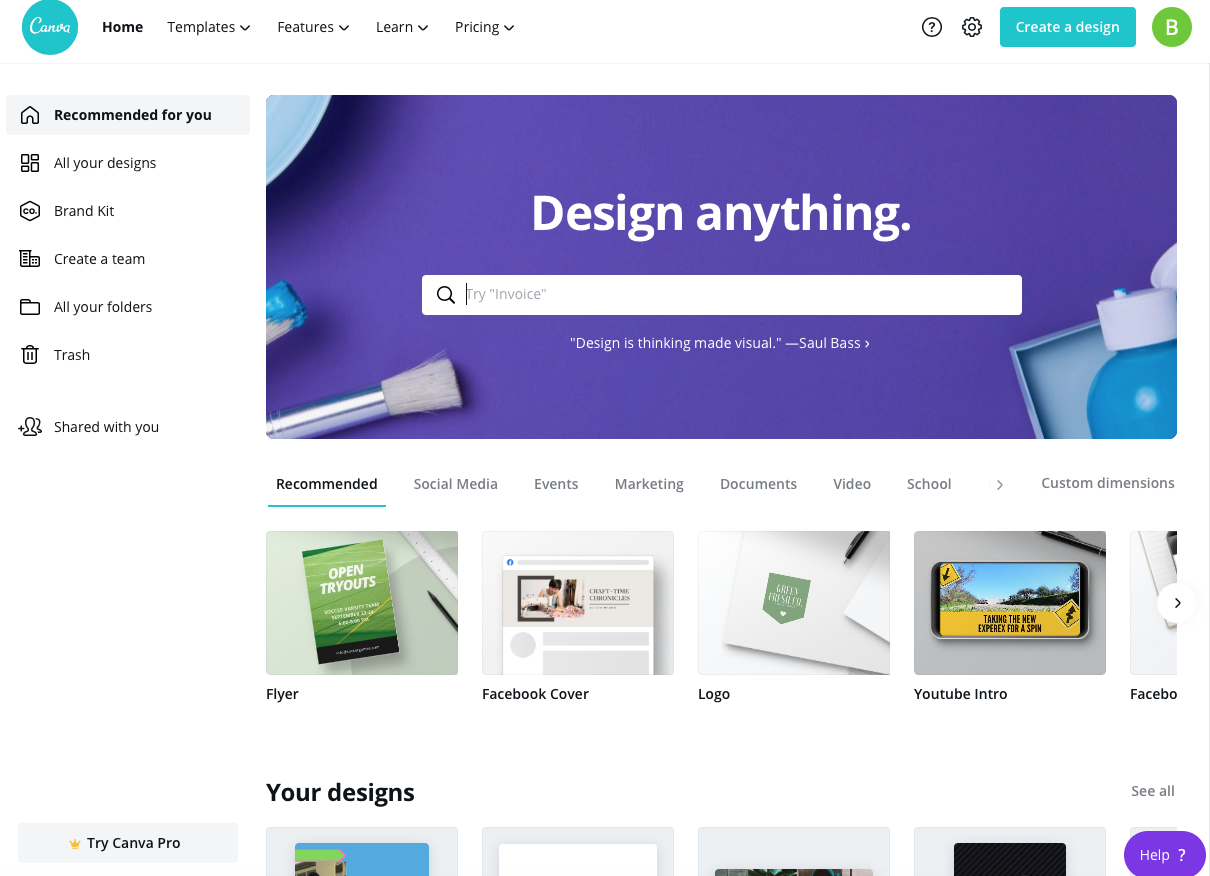
Canva is a more comprehensive design platform that offers a vast library of templates, fonts, and design elements. Its drag-and-drop interface makes it easy to use, even for those without extensive design experience. Canva's free plan allows users to create custom graphics, social media posts, and presentations, but it comes with limitations on the number of designs, uploads, and exports.
Adobe Spark, on the other hand, is a more streamlined design tool that focuses on creating web-based graphics, social media posts, and videos. Its free plan offers a range of templates and design elements, but it's limited to creating projects on the Adobe Spark website.
Comparison Table: Canva vs. Adobe Spark
| Feature | Canva | Adobe Spark |
|---|---|---|
| Templates | 50,000+ | 10,000+ |
| Design Elements | 1 million+ | 100,000+ |
| Custom Fonts | Yes | Limited |
| Free Plan Limitations | 5 designs, 5 uploads, 5 exports | Limited to Adobe Spark website |
Web Development: Wix vs. Weebly
For web development, two popular free online design tools are Wix and Weebly. Both platforms offer drag-and-drop interfaces, templates, and a range of features to create a website.
Wix is a more comprehensive platform that offers a wide range of templates, drag-and-drop tools, and features like e-commerce integration and SEO optimization. Its free plan allows users to create a website with a Wix subdomain, but it comes with limitations on storage, bandwidth, and advertising.
Weebly, on the other hand, is a more streamlined platform that focuses on creating simple websites and e-commerce sites. Its free plan offers a range of templates, drag-and-drop tools, and features like SEO optimization, but it's limited to creating a website with a Weebly subdomain.
UI/UX Design: Figma vs. Sketch
For UI/UX design, two popular free online design tools are Figma and Sketch. Both tools offer a range of features to create user interfaces, wireframes, and prototypes.
Figma is a cloud-based design tool that offers real-time collaboration, vector editing, and a range of features to create UI/UX designs. Its free plan allows users to create projects with up to 3 files, but it comes with limitations on features like collaboration and export.
Sketch is a digital design tool that offers a range of features to create UI/UX designs, wireframes, and prototypes. Its free trial allows users to try the tool, but it's limited to 30 days.
Choosing the Right Tool for Your Needs
With so many free online design tools available, choosing the right one for your needs can be overwhelming. Here are some key considerations to keep in mind:
Design needs: What type of design do you need to create? Graphic design, web development, UI/UX design, or something else?
Skill level: What's your level of design experience? Do you need a user-friendly interface or advanced features?
Features: What features do you need? Templates, design elements, collaboration tools, or something else?
Limitations: What are the limitations of the free plan? Are there restrictions on features, exports, or storage?
Practical Tips for Getting Started
Here are some practical tips for getting started with free online design tools:
Start with a template: Use a template to get started with your design project. This can help you save time and get inspiration for your design.
Experiment with features: Try out different features and tools to see what works best for your design needs.
Watch tutorials: Watch tutorials and online courses to learn more about the tool and improve your design skills.
Trust-Building: What to Expect from Free Online Design Tools
When using free online design tools, it's essential to have realistic expectations. Here are some things to keep in mind:
Limitations: Free plans often come with limitations on features, exports, or storage. Be aware of these limitations and plan accordingly.
Support: Free online design tools may not offer extensive support or customer service. Be prepared to troubleshoot issues on your own.
Quality: Free online design tools may not offer the same level of quality as paid tools. Be aware of the tradeoffs and adjust your expectations accordingly.
FAQs
Q: What is the best free online design tool for graphic design?
Canva and Adobe Spark are both popular free online design tools for graphic design. Canva offers a more comprehensive platform with a vast library of templates and design elements, while Adobe Spark focuses on creating web-based graphics and social media posts.
Q: Can I create a website with a free online design tool?
Yes, several free online design tools like Wix and Weebly allow you to create a website with a range of templates and drag-and-drop tools.
Q: What is the best free online design tool for UI/UX design?
Figma and Sketch are both popular free online design tools for UI/UX design. Figma offers real-time collaboration and vector editing, while Sketch offers a range of features to create UI/UX designs, wireframes, and prototypes.
Q: Are free online design tools suitable for professional use?
While free online design tools can be suitable for personal projects or small businesses, they may not offer the same level of quality or features as paid tools. Be aware of the limitations and tradeoffs before using a free online design tool for professional use.
Closing
Free online design tools have democratized access to design software, allowing individuals and businesses to create professional-looking content without breaking the bank. By understanding the strengths and limitations of each tool, you can choose the right one for your design needs and create stunning designs without spending a fortune. Whether you're a graphic designer, web developer, or UI/UX designer, there's a free online design tool out there that can help you achieve your goals.
Related: 5 Useful Things to Know About Free Online Design Tools
