

Choosing the Right Resume Template for Your Job Search
When you're on the hunt for a new job, having a well-crafted resume is essential. But before you start writing, you need a solid foundation – a great resume template. With countless options available, it can be overwhelming to decide which one to use. In this article, we'll explore the best free resume templates for download, what to look for in a template, and how to customize it to showcase your skills.
Understanding the Importance of a Good Resume Template
A good resume template can make all the difference in your job search. It's not just about listing your work experience and education; it's about presenting yourself in a clear, concise, and visually appealing way. A well-designed template can help you stand out from the competition, increase your chances of getting noticed by recruiters, and ultimately land an interview.
What to Look for in a Resume Template
Before you start downloading templates, it's essential to know what to look for. Here are some key features to consider:
Clean and simple design: Avoid cluttered and overly complex templates. You want your content to shine, not the design.
Easy to read: Choose a template with a clear and readable font, such as Arial, Calibri or Helvetica.
Customizable: Opt for a template that's easy to customize, with clear headings and sections.
Relevant sections: Ensure the template includes relevant sections, such as a summary or objective statement, work experience, education, and skills.
Top Free Resume Templates for Download
Here are some of the best free resume templates for download:
1. Microsoft Word Resume Templates
Microsoft Word offers a range of free resume templates that are easy to download and customize. Some popular options include:
Microsoft Word Resume Template: A clean and simple template with a traditional layout.
Elegant Resume Template: A modern template with a focus on showcasing your skills and experience.
2. Google Docs Resume Templates
Google Docs also offers a range of free resume templates that are easy to access and customize. Some popular options include:
Google Docs Resume Template: A simple and easy-to-use template with a classic layout.
Modern Resume Template: A modern template with a focus on highlighting your achievements.
3. Canva Resume Templates
Canva is a popular design platform that offers a range of free resume templates. Some popular options include:
Canva Resume Template: A modern and visually appealing template with a focus on showcasing your creativity.
Professional Resume Template: A clean and simple template with a focus on highlighting your experience.
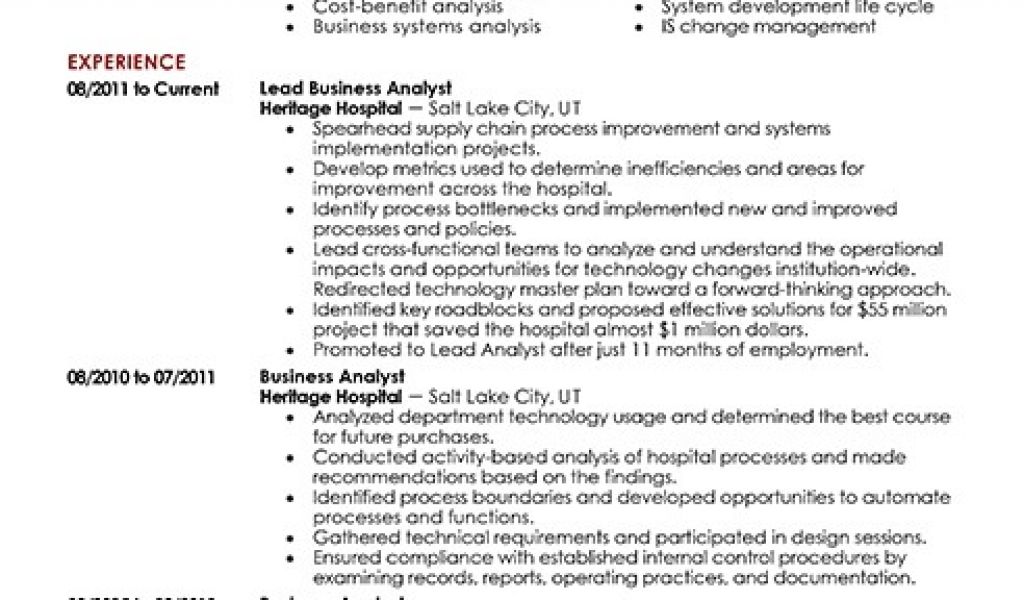
How to Customize Your Resume Template
Once you've downloaded a template, it's essential to customize it to showcase your skills and experience. Here are some tips:
Tailor your template to the job: Customize your template to match the requirements of the job you're applying for.
Use keywords: Use keywords from the job description to help your resume pass through applicant tracking systems (ATS).
Highlight your achievements: Focus on highlighting your achievements and accomplishments rather than just listing your job responsibilities.
Common Mistakes to Avoid in Your Resume
When creating your resume, there are several common mistakes to avoid:
Typos and grammatical errors: Ensure your resume is free of typos and grammatical errors.
Poor formatting: Use a clear and consistent format throughout your resume.
Lack of relevance: Ensure your resume is relevant to the job you're applying for.
Comparison of Popular Resume Templates
Here's a comparison of some popular resume templates:
| Template | Design | Customizability | Relevance |
|---|---|---|---|
| Microsoft Word Resume Template | Clean and simple | Easy to customize | High |
| Google Docs Resume Template | Simple and easy-to-use | Easy to customize | Medium |
| Canva Resume Template | Modern and visually appealing | Easy to customize | High |
FAQs
Here are some frequently asked questions about free resume templates:
Q: What is the best free resume template?
The best free resume template is one that's clean, simple, and easy to customize.
Q: Can I use a free resume template for any job?
While you can use a free resume template for any job, it's essential to tailor it to the specific job you're applying for.
Q: How do I customize a free resume template?
To customize a free resume template, simply replace the placeholder text with your own information and adjust the formatting as needed.
Q: Are free resume templates ATS-friendly?
While some free resume templates are ATS-friendly, it's essential to ensure that your template is optimized for ATS by using keywords and a clear format.
Final Tips for Creating a Standout Resume
Creating a standout resume takes time and effort, but with the right template and a bit of customization, you can increase your chances of landing your dream job. Here are some final tips:
Keep it concise: Keep your resume concise and focused on the most important information.
Use action verbs: Use action verbs such as "managed," "created," and "developed" to describe your achievements.
- Proofread: Proofread your resume multiple times to ensure it's error-free and polished.
By following these tips and using a free resume template, you can create a standout CV that showcases your skills and experience and helps you land your dream job.
Related: A Practical Guide to Finding Freelance Side Hustle Ideas
Related: 5 Useful Things to Know About Free Resume Templates
Related: Plan Your Content with a Free Content Calendar Template
