
As a recent graduate or someone entering the workforce for the first time, creating a strong resume can be daunting. With so many templates and designs available, it's hard to know where to start. A well-crafted resume is crucial in making a good first impression on potential employers, and it all begins with choosing the right template.
Understanding the Importance of a Resume Template
A resume template serves as a foundation for your resume, providing a structured format to showcase your skills, education, and experience. For beginners, a template can be a lifesaver, helping to organize thoughts and ensure that all relevant information is included. A good template can also help to highlight strengths and achievements, making it more likely to catch the eye of a hiring manager.Key Features to Look for in a Resume Template
When searching for a resume template, there are several key features to look for. These include: Clean and simple design: A clutter-free template with clear headings and bullet points is essential for making your resume easy to read.
Customizable sections: Look for templates that allow you to add or remove sections as needed, ensuring that your resume is tailored to your specific experience and qualifications.
Relevant keywords: Many companies use applicant tracking systems (ATS) to screen resumes before they even reach a human recruiter. Choose a template that incorporates relevant keywords from your industry to increase the chances of passing through ATS.
Popular Resume Template Options for Beginners
There are many resume template options available, each with its own strengths and weaknesses. Here are a few popular choices: Microsoft Word templates: Microsoft Word offers a range of free resume templates that are easy to use and customize. These templates are a great starting point for beginners, with clear instructions and guidance.
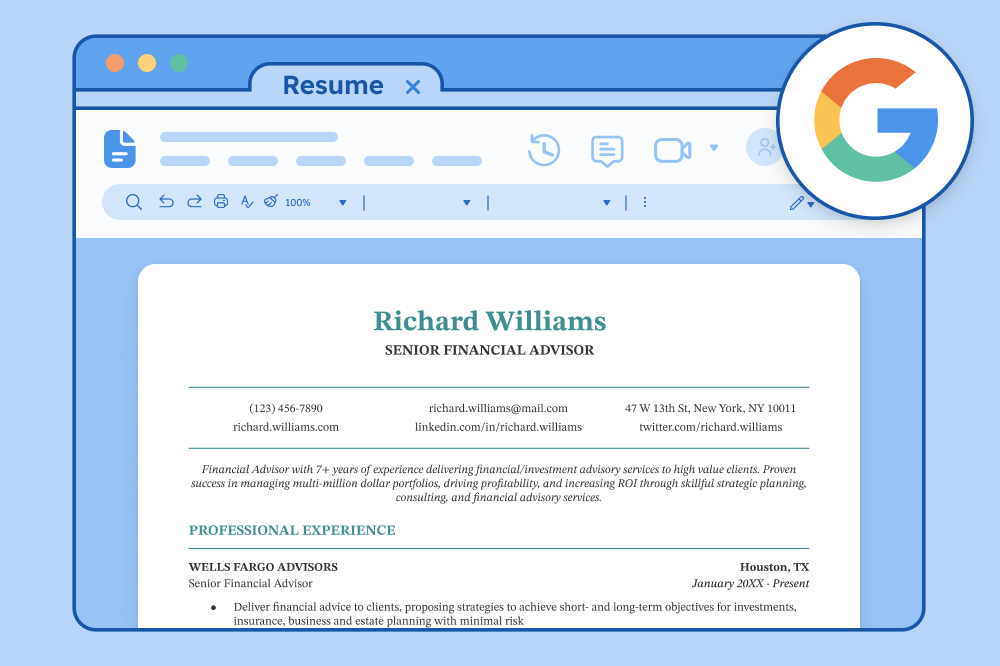
Google Docs templates: Google Docs provides a range of free resume templates that are collaborative and easy to edit. These templates are ideal for those who prefer to work online and share their resume with others.
Canva templates: Canva offers a range of modern and stylish resume templates that are highly customizable. These templates are perfect for those who want to add a creative touch to their resume.
How to Choose the Right Resume Template for Your Needs
With so many templates available, it can be hard to choose the right one. Here are a few tips to consider: Consider your industry: Different industries have different expectations when it comes to resume design and layout. For example, a creative field may require a more artistic template, while a corporate job may require a more traditional template.
Think about your experience: If you're a complete beginner, a simple template with clear headings and bullet points may be the best choice. If you have more experience, a template with more sections and a more complex layout may be more suitable.
Look for templates with examples: A template with examples of how to fill in each section can be incredibly helpful, providing guidance and inspiration.
Common Mistakes to Avoid When Choosing a Resume Template
When choosing a resume template, there are several common mistakes to avoid. These include: Overly complex designs: Avoid templates with too much clutter or overly complex designs. These can be distracting and make it hard to read your resume.
Lack of customization: Make sure the template you choose allows for customization, ensuring that you can tailor your resume to your specific needs and qualifications.
Ignoring ATS keywords: Don't forget to incorporate relevant keywords from your industry into your template, increasing the chances of passing through ATS.
Creating a Standout Resume with Your Chosen Template
Once you've chosen a template, it's time to start filling it in. Here are a few tips to help you create a standout resume: Tailor your resume to the job: Customize your resume for each job you apply to, highlighting the skills and qualifications that match the job requirements.
Use clear and concise language: Avoid using jargon or overly technical language, instead opting for clear and concise language that's easy to understand.
Proofread and edit: Make sure to proofread and edit your resume multiple times, ensuring that there are no spelling or grammar errors.
Comparison of Popular Resume Templates
The following table compares some popular resume templates:| Template | Design | Customization | ATS Keywords |
|---|---|---|---|
| Microsoft Word | Simple and classic | Easy to customize | Limited |
| Google Docs | Modern and clean | Collaborative and easy to edit | Limited |
| Canva | Creative and stylish | Highly customizable | Yes |
Frequently Asked Questions
Here are a few frequently asked questions about choosing a resume template: What is the best resume template for a beginner?
The best resume template for a beginner is a simple and clean template with clear headings and bullet points. Microsoft Word and Google Docs offer a range of free templates that are easy to use and customize.
How do I choose a resume template that will pass through ATS?
To choose a template that will pass through ATS, look for templates that incorporate relevant keywords from your industry. Canva and other template providers often offer ATS-friendly templates.
Can I use a resume template for multiple job applications?
While you can use a template for multiple job applications, it's essential to customize your resume for each job. Tailor your resume to the specific job requirements, highlighting your relevant skills and qualifications.
Final Tips and Next Steps
Choosing the right resume template is just the first step in creating a strong resume. Remember to tailor your resume to each job you apply to, using clear and concise language and highlighting your relevant skills and qualifications. With a little practice and patience, you'll be well on your way to creating a standout resume that will help you land your dream job.Related: 5 Useful Things to Know About Free Resume Templates
Related: 5 Useful Things to Know About Free Resume Template Downloads
