
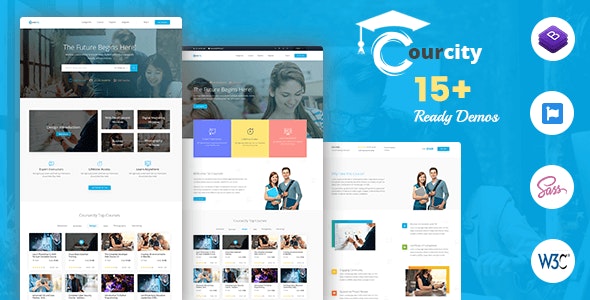
The Challenge of Choosing an Online Course HTML Template
When creating an online course, one of the most critical decisions you'll make is selecting the right HTML template. Your template is the foundation of your course's user interface, influencing not only how your content looks but also how it's delivered to your students. With so many options available, it's easy to feel overwhelmed. What do you prioritize: design flexibility, ease of use, or affordability? In this article, we'll break down the key considerations and help you make an informed decision.
What is an Online Course HTML Template?
An online course HTML template is a pre-designed HTML structure that provides a basic layout for your e-learning content. These templates often come with CSS and JavaScript files, allowing you to customize the look and feel of your course. They can range from simple, minimalist designs to more complex, interactive layouts. The goal is to provide a solid foundation that you can build upon, saving you time and effort in the development process.
Types of Online Course HTML Templates
There are several types of HTML templates you can use for your online course, each with its pros and cons:
- Static Templates: These are the most straightforward, providing a fixed layout that doesn't change dynamically based on user interactions. They're often easier to set up and use, making them ideal for smaller courses or those with limited interactive elements.
- Dynamic Templates: These templates offer more interactivity, allowing for elements that change based on user actions. They're more complex and may require additional technical expertise, but they can provide a more engaging learning experience.
Key Features to Look for in an Online Course HTML Template
When choosing a template, consider the following features:
Customization
The ability to customize your template is crucial. Look for templates with clear documentation and support for easy modification of colors, fonts, and layouts.
Responsiveness
Ensure the template is responsive, meaning it adjusts to fit different screen sizes and devices. This is vital for providing a good user experience across desktops, tablets, and mobile phones.
Compatibility
Check that the template is compatible with your learning management system (LMS) or the platform you plan to use. Some templates might require additional setup or plugins to work seamlessly.
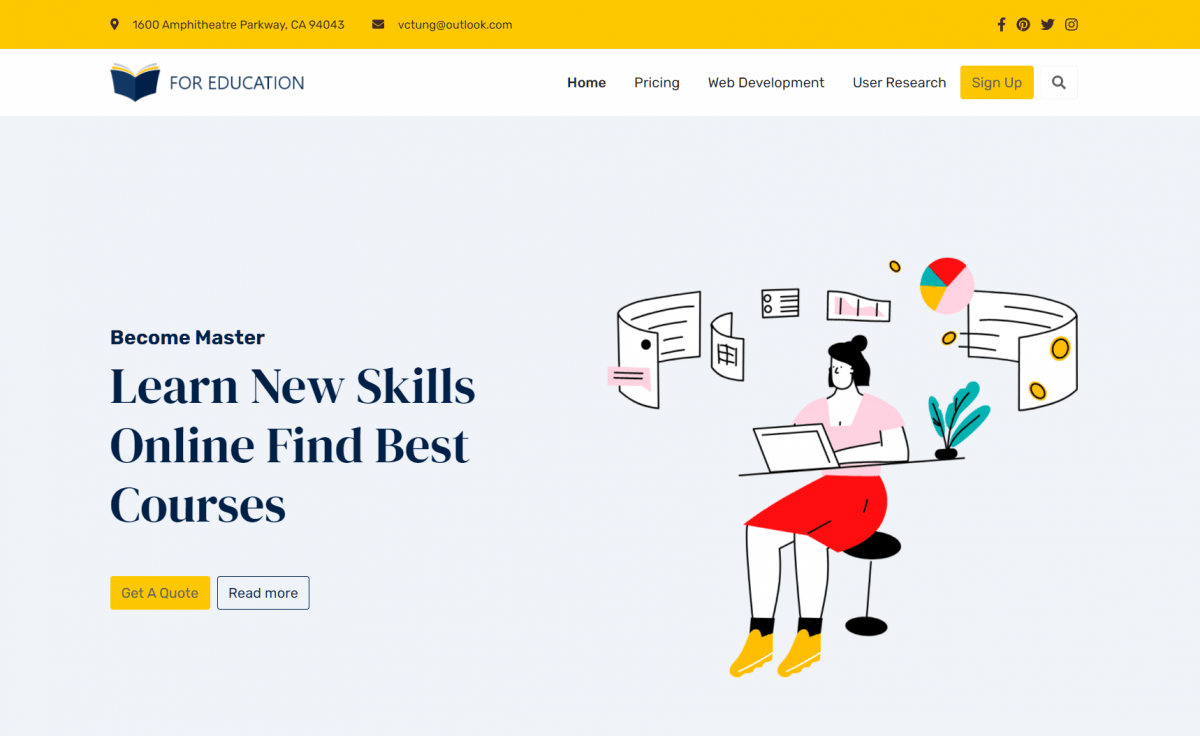
Interactive Elements
Consider the types of interactive elements you need, such as quizzes, discussions, or gamification features. Some templates are better suited for incorporating these elements than others.
Comparing Popular Online Course HTML Templates
To give you a better understanding, let's compare a few popular templates:
| Template | Customization | Responsiveness | Compatibility | Interactive Elements |
|---|---|---|---|---|
| Template A | High | Excellent | Wide LMS compatibility | Basic (quizzes, discussions) |
| Template B | Medium | Good | Limited LMS compatibility | Advanced (gamification, animations) |
| Template C | Low | Fair | Easy integration with popular LMS | Basic (quizzes) |
Customizing Your Online Course HTML Template
Once you've chosen a template, customization is key to making your course unique. Here are some practical tips:
Start with a Clear Design Plan
Before diving into customization, outline your design plan. Consider your brand's colors, logo, and overall aesthetic.
Use Template Documentation
Most templates come with documentation that guides you through the customization process. Use this as a starting point for understanding what you can change and how.
Leverage CSS for Styling
CSS (Cascading Style Sheets) is your friend when it comes to styling. Even with limited coding knowledge, you can make significant changes to your template's appearance.
Common Mistakes to Avoid
When working with online course HTML templates, avoid these common pitfalls:
- Over-complicating Design: While you want your course to look professional, over-complicating the design can detract from the learning experience.
- Ignoring Mobile Users: With more users accessing content on mobile devices, ensure your template provides a good experience across all screen sizes.
Building Trust with Your Template Choice
The template you choose reflects on your brand and can influence how students perceive your course's quality. Opt for a template from a reputable source, and don't hesitate to reach out for support if you encounter issues.
Frequently Asked Questions
Q: Can I use a free HTML template for my online course?
Yes, but consider the limitations. Free templates might have restricted features or support, which could impact your course's quality or customization options.
Q: How do I know if a template is compatible with my LMS?
Check the template's documentation and reviews. Many providers specify which LMS platforms their templates are compatible with.
Q: Can I change my template after launching my course?
It's possible but can be challenging. Consider choosing a template that you can stick with long-term to avoid rework.
Q: Do I need to know how to code to use an HTML template?
Basic knowledge of HTML, CSS, and JavaScript can be helpful, but many templates are designed to be user-friendly, allowing for customization without extensive coding.
Conclusion
Choosing the right online course HTML template is a critical step in creating an engaging and effective learning experience. By understanding your needs, considering key features, and avoiding common mistakes, you can select a template that enhances your course and supports your educational goals. Take your time, do your research, and don't hesitate to seek help when needed. With the right template, you'll be well on your way to creating a successful online course.
Related: A Practical Guide to Creating an Online Learning Platform
Related: A Practical Guide to Choosing the Best Online Learning
Related: Choosing the Right Online Course Website Template for Your
Related: How to Choose an Online Class Website Template That's Right
