
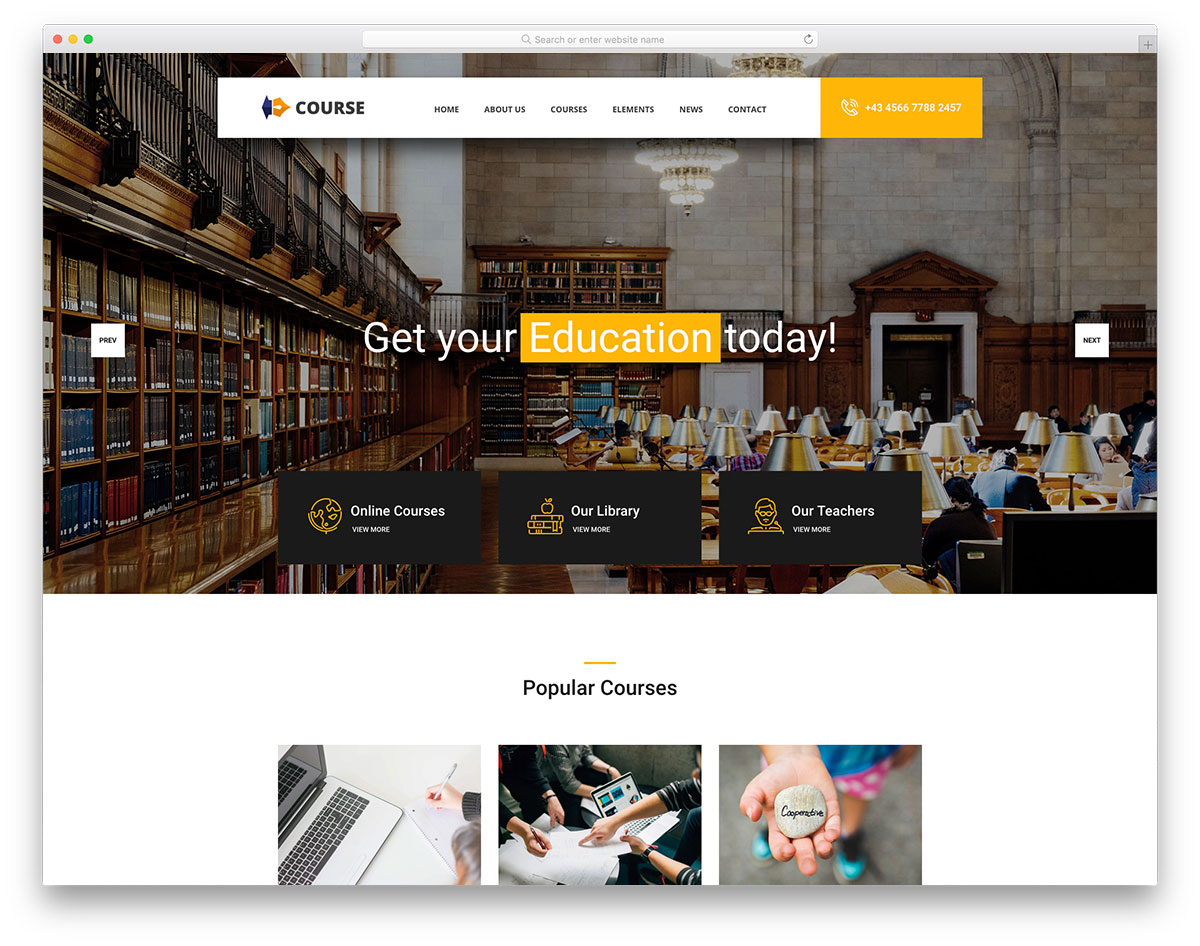
Understanding the Need for Online Courses Templates
Creating an online course can be a daunting task, especially when you're not familiar with web development or design. You want to focus on crafting high-quality content, not wrestling with coding or layout issues. This is where WordPress online courses templates come into play. These templates offer a streamlined solution for educators, entrepreneurs, and businesses looking to share knowledge and skills with their audience.
What Makes a Great Online Course Template?
So, what should you look for in a WordPress online courses template? First and foremost, ease of use is crucial. You want a template that's easy to navigate, both for you and your students. It should also be responsive, ensuring that your course looks great on various devices, from desktops to mobile phones. Another key aspect is customizability. Your template should allow you to personalize the design, layout, and content to match your brand and style.
Top Features of WordPress Online Courses Templates
When exploring online courses templates for WordPress, you'll likely come across a range of features. Here are some of the top ones to look out for:
Learning Management System (LMS) integration: A built-in LMS allows you to create, manage, and sell courses directly from your website.
Course layout and design: Look for templates with a clean, modern design that's optimized for learning content.
Drag-and-drop page builders: A drag-and-drop interface makes it easy to customize your course layout without needing to code.
Mobile responsiveness: Ensure that your template is optimized for mobile devices, so students can access your course on-the-go.
Comparison of Popular Online Courses Templates
| Template | LMS Integration | Customizability | Mobile Responsiveness | Price |
|---|---|---|---|---|
| LearnDash | Yes | High | Yes | $199/year |
| WP Courseware | Yes | Medium | Yes | $129/year |
| Edwiser | Yes | High | Yes | $99/year |
| Tutor LMS | Yes | Medium | Yes | $149/year |
As you can see, each template has its strengths and weaknesses. LearnDash, for instance, offers high customizability and LMS integration, but comes at a higher price point. On the other hand, Edwiser provides a more affordable option with a balance of features.
"The key to creating a successful online course is to focus on the learning experience, not just the content. A well-designed template can make all the difference in engaging your students and helping them achieve their goals." - Rachel, e-learning expert
Practical Tips for Choosing the Right Template
With so many options available, how do you choose the right template for your online course? Here are some practical tips:
Define your goals: Determine what you want to achieve with your online course and what features you need to make it happen.
Assess your technical skills: Be honest about your technical abilities and choose a template that's easy to use, even if you're not tech-savvy.
Check compatibility: Ensure that the template is compatible with your existing WordPress setup and any plugins you plan to use.
Common Mistakes to Avoid
When selecting a WordPress online courses template, it's easy to get caught up in the excitement of creating your online course. However, there are some common mistakes to avoid:
Not checking responsiveness: Make sure your template looks great on various devices, not just desktops.
Overlooking customizability: Choose a template that allows you to personalize the design and layout to match your brand.
Ignoring LMS integration: If you plan to sell courses or manage student progress, ensure that your template has built-in LMS integration.
Real-World Example: Success with Edwiser
Meet Jane, an entrepreneur who created an online course on marketing using the Edwiser template. With its ease of use and customizable design, Jane was able to create a professional-looking course that engaged her students and helped them achieve their marketing goals.
Frequently Asked Questions
Q: What is the best WordPress online courses template for beginners?
For beginners, we recommend starting with a template that's easy to use and has a gentle learning curve. Edwiser and Tutor LMS are great options.
Q: Can I use a free WordPress online courses template?
While free templates are available, they often come with limitations. Paid templates, like LearnDash or WP Courseware, offer more features and support.
Q: How do I integrate an LMS with my WordPress online courses template?
Most templates come with built-in LMS integration or offer plugins for popular LMS platforms. Check the template's documentation for specific instructions.
Q: Can I customize my online courses template without coding?
Yes, many templates offer drag-and-drop page builders or visual editors that allow you to customize the design without coding.
Conclusion
Mastering WordPress online courses templates can seem overwhelming, but with the right guidance, you can create an engaging and effective learning experience for your students. By considering factors like ease of use, customizability, and LMS integration, you can choose the perfect template for your online course. With the right tools and a bit of creativity, you'll be well on your way to sharing your knowledge and skills with the world.
Related: What to Know About Creating an Online Course Outline Template
Related: Find Your Perfect Online Course Template: Free Downloads
