
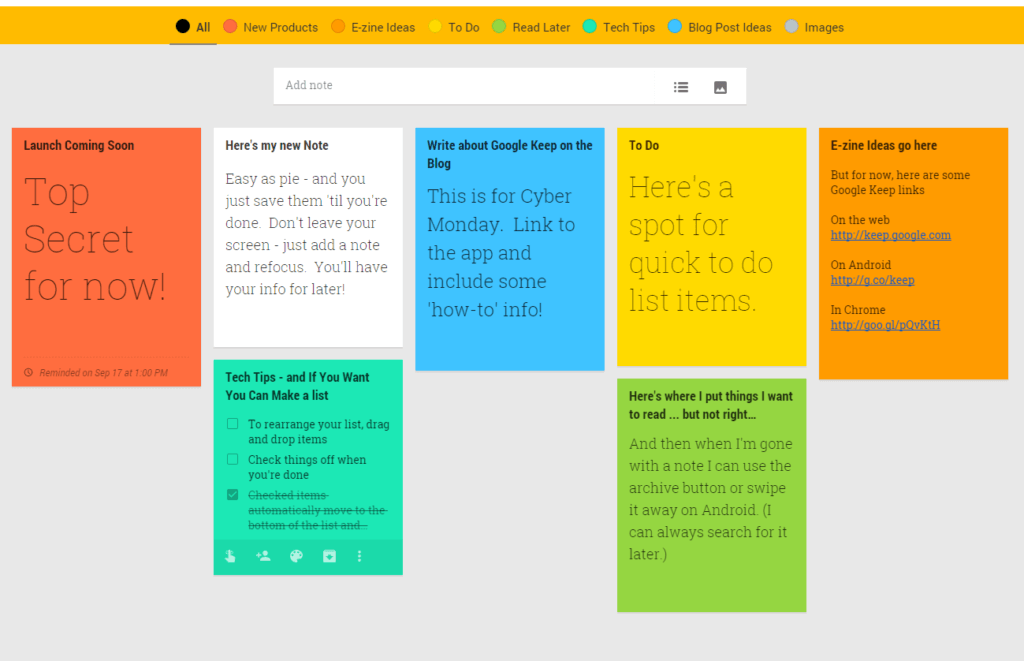
As educators continue to navigate the complexities of modern teaching, digital tools have become indispensable in enhancing classroom management and student engagement. Among these tools, online checklist apps have gained popularity for their simplicity and effectiveness in streamlining tasks, managing assignments, and fostering a more organized learning environment. But with a myriad of options available, selecting the right online checklist app for teachers can be daunting. This article aims to provide a comprehensive guide on What to Know when choosing such an app, ensuring that educators can make an informed decision that best suits their needs.
Understanding the Benefits of Online Checklist Apps for Teachers
Online checklist apps offer a range of benefits for teachers, from improving organizational efficiency to enhancing student engagement. By digitizing checklists, teachers can easily update and share task lists, assignments, and reminders with students and colleagues alike. This not only reduces paperwork but also ensures that everyone is on the same page, reducing misunderstandings and missed deadlines.
Moreover, these apps facilitate a more structured and systematic approach to teaching and learning. Teachers can create customized checklists for various classroom activities, projects, and assessments, making it easier to track progress and provide feedback. For students, checklists serve as a clear guide to what is expected of them, helping them stay organized and focused on their goals.
Key Features to Look for in an Online Checklist App
When selecting an online checklist app for teachers, several key features should be considered to ensure the app meets the specific needs of the educational environment.
Customization and Flexibility
The ability to customize checklists is crucial. Teachers should be able to create lists that are tailored to their specific teaching style and the needs of their students. This includes adding or removing items, setting deadlines, and assigning tasks to individual students or groups.
Integration with Other Educational Tools
Integration with other educational tools and platforms (e.g., Learning Management Systems, LMS) is also vital. This ensures a seamless flow of information and reduces the need to switch between different apps, thereby enhancing efficiency.
Accessibility and User-Friendliness
The app should be accessible on various devices (computers, tablets, smartphones) and easy to use for both teachers and students. A user-friendly interface is essential to ensure widespread adoption and effective use.
Collaboration and Communication Features
Features that facilitate collaboration and communication between teachers, students, and parents are highly beneficial. This could include real-time commenting, @mentions, and the ability to share checklists and updates via email or messaging apps.
Data Security and Privacy
Lastly, the app must prioritize data security and privacy, ensuring that sensitive information about students and teachers is protected.
Comparing Popular Online Checklist Apps for Teachers
Several online checklist apps are popular among teachers, each with its strengths and weaknesses. Here’s a brief comparison:
| <strong>App</strong> | <strong>Customization</strong> | <strong>Integration</strong> | <strong>Accessibility</strong> | <strong>Collaboration</strong> | <strong>Security</strong> |
|---|---|---|---|---|---|
| Trello | High | High (with Google Drive, Slack) | High (Web, iOS, Android) | High (comments, @mentions) | High (enterprise-level security) |
| Asana | High | High (with Google Drive, Slack) | High (Web, iOS, Android) | High (task assignments, comments) | High (enterprise-level security) |
| Google Keep | Medium | Medium (with Google Apps) | High (Web, iOS, Android) | Medium (basic sharing) | High (Google’s security) |
| AnyList | Medium | Low | High (Web, iOS, Android) | Low | Medium |
Practical Considerations for Implementation
Implementing an online checklist app requires careful planning. Here are some practical considerations:
- Training and Support: Ensure that the app provides adequate training resources and customer support to help teachers and students get started.
- Gradual Rollout: Consider a phased rollout to allow teachers to experiment with the app and provide feedback before a school-wide implementation.
- Feedback Mechanism: Establish a mechanism for teachers and students to provide feedback on the app’s effectiveness and suggest improvements.
Insights into Successful Adoption
Successful adoption of an online checklist app often hinges on its alignment with the existing workflows and needs of teachers and students. Schools that have seen significant benefits from these apps typically have a champion or a small group of early adopters who advocate for the tool and help drive its integration into the curriculum.
Frequently Asked Questions
Q: How can I ensure the online checklist app I choose is secure?
Look for apps with strong security features, including data encryption, two-factor authentication, and compliance with educational privacy standards.
Q: Can online checklist apps help with parent communication?
Yes, many apps offer features that allow teachers to share checklists and updates with parents, enhancing communication and engagement.
Q: Are there free online checklist apps suitable for teachers?
Yes, several apps offer free versions or trials, though they may have limitations. It’s essential to evaluate whether the free version meets your needs.
Q: How can I get buy-in from teachers and students?
Involve them in the selection process, provide training, and highlight the benefits of using the app, such as reduced paperwork and improved organization.
Closing
Choosing the right online checklist app for teachers is a critical decision that can significantly impact classroom management and student engagement. By understanding the benefits, evaluating key features, comparing popular apps, and considering practical implementation strategies, educators can make an informed choice. Ultimately, the goal is to find an app that not only streamlines tasks but also enhances the educational experience for both teachers and students.
Related: A Practical Guide to Finding Cheap Online Professional Resume
