
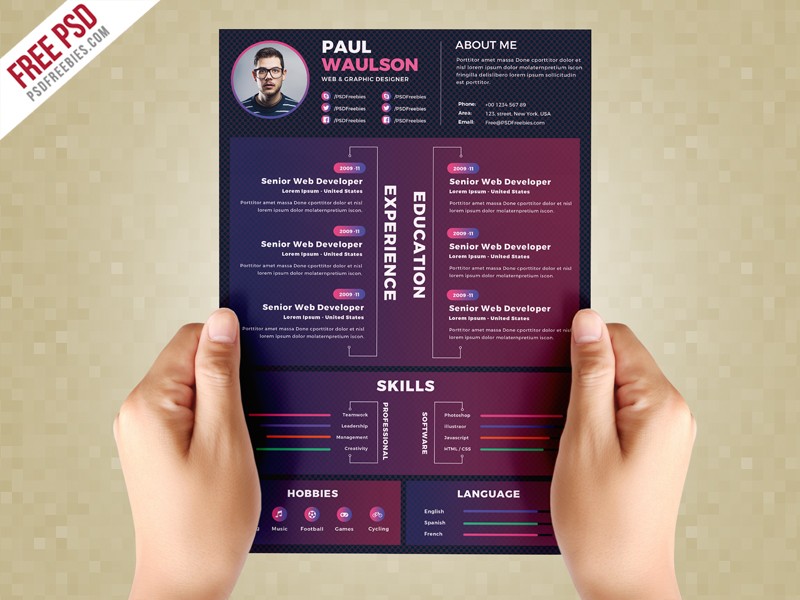
Creating a Standout Resume: Why Customization Matters
In a competitive job market, a well-crafted resume can make all the difference in landing an interview. One of the most effective ways to create a standout resume is to customize a template online. With numerous online resume builders and templates available, it's easier than ever to create a professional-looking CV that showcases your skills and experience. However, with so many options, it can be overwhelming to know where to start.
Choosing the Right Online Resume Builder
When it comes to customizing a resume template online, the first step is to choose the right online resume builder. With so many options available, it's essential to consider factors such as ease of use, template variety, and customization options. Some popular online resume builders include Canva, Resume.io, and LinkedIn's Resume Builder. Each of these platforms offers a range of templates and customization options, making it easy to create a professional-looking resume.
Key Features to Look for in an Online Resume Builder
Ease of use: Look for a platform with a user-friendly interface that's easy to navigate.
Template variety: Choose a platform with a wide range of templates to suit your industry and style.
Customization options: Opt for a platform that offers flexible customization options, such as font styles, colors, and layout.

Customizing Your Resume Template: Tips and Tricks
Once you've chosen an online resume builder, it's time to customize your template. Here are some tips and tricks to help you create a standout resume:
Tailor your resume to the job: Customize your resume to match the requirements of the job you're applying for. Use keywords from the job description to help your resume pass through applicant tracking systems (ATS).
Use a clear and concise format: Use a clean and easy-to-read format with bullet points and clear headings.
Highlight your achievements: Instead of just listing your job responsibilities, focus on your achievements and the impact you made in your previous roles.
Comparison of Popular Online Resume Builders
| Online Resume Builder | Template Variety | Customization Options | Ease of Use |
|---|---|---|---|
| Canva | 50+ templates | Extensive customization options | Easy |
| Resume.io | 200+ templates | Flexible customization options | Easy |
| LinkedIn's Resume Builder | 10+ templates | Limited customization options | Easy |
"A customized resume is a powerful tool in a job seeker's arsenal. It shows that you've taken the time to understand the job requirements and that you're serious about the position." - Career Coach
Avoiding Common Mistakes When Customizing a Resume Template
When customizing a resume template online, it's easy to make mistakes that can hurt your chances of landing an interview. Here are some common mistakes to avoid:
Using a generic template: Avoid using a generic template that doesn't showcase your unique skills and experience.
Not tailoring your resume to the job: Make sure to customize your resume to match the requirements of the job you're applying for.
Including irrelevant information: Keep your resume focused on your relevant skills and experience.
Creating a Resume That Stands Out: Advanced Tips
Once you've mastered the basics of customizing a resume template online, it's time to take your resume to the next level. Here are some advanced tips to help you create a standout resume:
Use action verbs: Use action verbs such as "managed," "created," and "developed" to describe your achievements.
Include relevant sections: Consider adding relevant sections such as a summary or objective statement, or a skills section.
Use numbers and statistics: Use numbers and statistics to demonstrate the impact you've made in your previous roles.
Frequently Asked Questions
Q: What is the best online resume builder?
The best online resume builder for you will depend on your needs and preferences. Popular options include Canva, Resume.io, and LinkedIn's Resume Builder.
Q: How do I customize a resume template online?
To customize a resume template online, choose an online resume builder, select a template, and then customize it to fit your needs. Use keywords from the job description, and focus on your achievements and skills.
Q: What are some common mistakes to avoid when customizing a resume template?
Common mistakes to avoid when customizing a resume template include using a generic template, not tailoring your resume to the job, and including irrelevant information.
Q: How do I create a standout resume?
To create a standout resume, focus on your achievements, use action verbs, and include relevant sections. Use numbers and statistics to demonstrate the impact you've made in your previous roles.
Final Tips for Customizing a Resume Template Online
Customizing a resume template online is a great way to create a standout CV that showcases your skills and experience. By choosing the right online resume builder, tailoring your resume to the job, and avoiding common mistakes, you can increase your chances of landing an interview. Remember to keep your resume focused, clear, and concise, and don't be afraid to get creative and showcase your personality. With these tips and tricks, you'll be well on your way to creating a resume that helps you stand out in a competitive job market.
Related: How to Find the Perfect Resume Templates in Word for Free
