
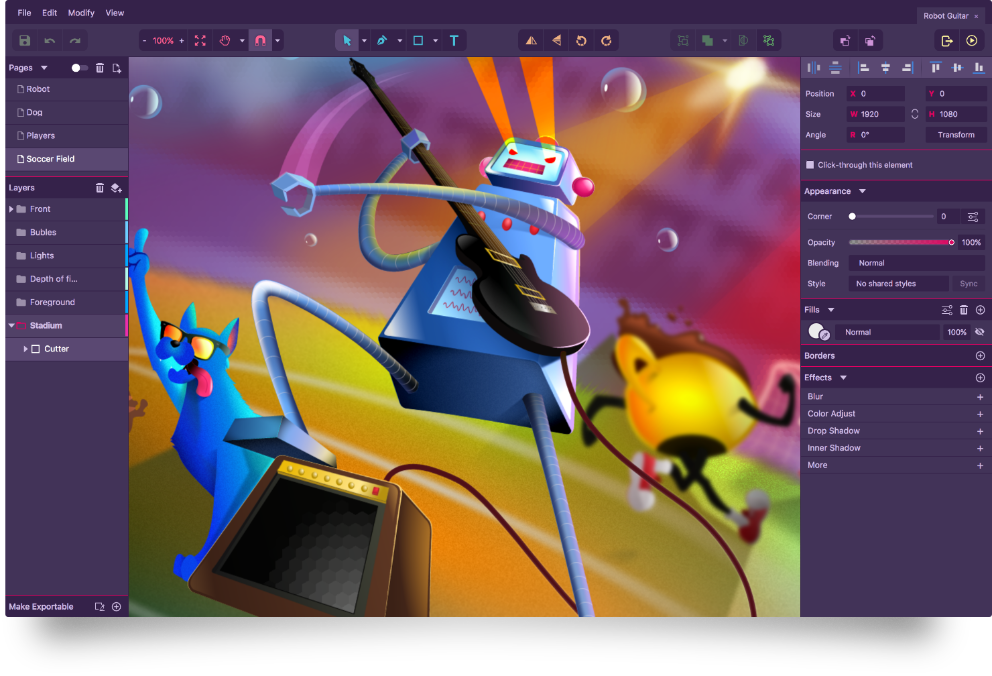
Getting Started with Free Design Tools
When it comes to creating stunning visuals, you don't have to break the bank. The world of design is filled with an array of free tools that can help you bring your ideas to life. As a beginner, it's essential to find software that's not only free but also easy to use. In this article, we'll explore the best easy free design tools that can help you get started on your creative journey.
Top Free Design Tools for Beginners
There are numerous free design tools available, each with its unique features and benefits. Here are some of the top tools that made our cut:
Canva: A popular graphic design platform that's perfect for creating social media graphics, presentations, and more. Canva offers a user-friendly interface and a vast template library.
GIMP: A free and open-source raster graphics editor that's often compared to Adobe Photoshop. GIMP offers advanced features like layers, filters, and effects.
Inkscape: A free and open-source vector graphics editor that's similar to Adobe Illustrator. Inkscape offers features like shapes, paths, and text tools.
What Makes a Design Tool Easy to Use?
So, what makes a design tool easy to use for beginners? Here are some key factors to consider:
Intuitive interface: A clean and simple interface that's easy to navigate, even for those with little design experience.
Drag-and-drop functionality: A feature that allows you to easily move elements around and experiment with different layouts.
Pre-made templates: A library of pre-made templates that can help you get started quickly and provide inspiration for your designs.

A Closer Look at Canva
Canva is an excellent example of a user-friendly design tool that's perfect for beginners. With Canva, you can create a wide range of designs, from social media graphics to presentations and even infographics. One of the standout features of Canva is its vast template library, which offers a wide range of pre-made designs that you can customize to suit your needs.
Canva's Key Features
Huge template library: Over 50,000 templates to choose from, covering a wide range of design categories.
Drag-and-drop interface: Easily move elements around and experiment with different layouts.
Collaboration tools: Invite others to edit your designs and work together in real-time.
GIMP vs. Inkscape: A Comparison
When it comes to raster and vector graphics editors, two popular free options are GIMP and Inkscape. But which one is right for you?
| <strong>Feature</strong> | <strong>GIMP</strong> | <strong>Inkscape</strong> |
|---|---|---|
| <strong>Raster/Vector</strong> | Raster | Vector |
| <strong>Interface</strong> | Similar to Photoshop | Similar to Illustrator |
| <strong>Learning Curve</strong> | Steeper | Gentler |
Practical Tips for Using Free Design Tools
Here are some practical tips for getting the most out of free design tools:
Start with a template: Use pre-made templates to get started quickly and provide inspiration for your designs.
Experiment with different tools: Try out different design tools to find the one that works best for you.
Watch tutorials: Take advantage of online tutorials and resources to learn new skills and improve your design abilities.
Building Trust with Free Design Tools
One of the biggest concerns with free design tools is their reliability and trustworthiness. Can you really create professional-looking designs with free software?
The answer is yes. Many free design tools, like Canva, GIMP, and Inkscape, are developed by reputable companies and communities. They're also widely used by professionals and hobbyists alike.
FAQs
Here are some frequently asked questions about easy free design tools:
Q: What is the best free design tool for beginners? Canva is an excellent choice for beginners, with its user-friendly interface and vast template library.
Q: Is GIMP really free?
Yes, GIMP is completely free and open-source, with no hidden costs or subscription fees.
- Q: Can I use free design tools for commercial projects?
Yes, many free design tools, like Canva and GIMP, offer commercial licenses that allow you to use their software for business projects.
Conclusion
Finding the right design tool can be overwhelming, especially for beginners. But with the right software, you can create stunning visuals without breaking the bank. By trying out free design tools like Canva, GIMP, and Inkscape, you can discover a world of creative possibilities. So why not give them a try and see what you can create?
Related: Budget Planner Template Printable: What Actually Makes Sense?
Related: Free Online Design Tools: What Actually Makes Sense?
Related: The Ultimate Travel Checklist for Men: Never Forget a Thing
