
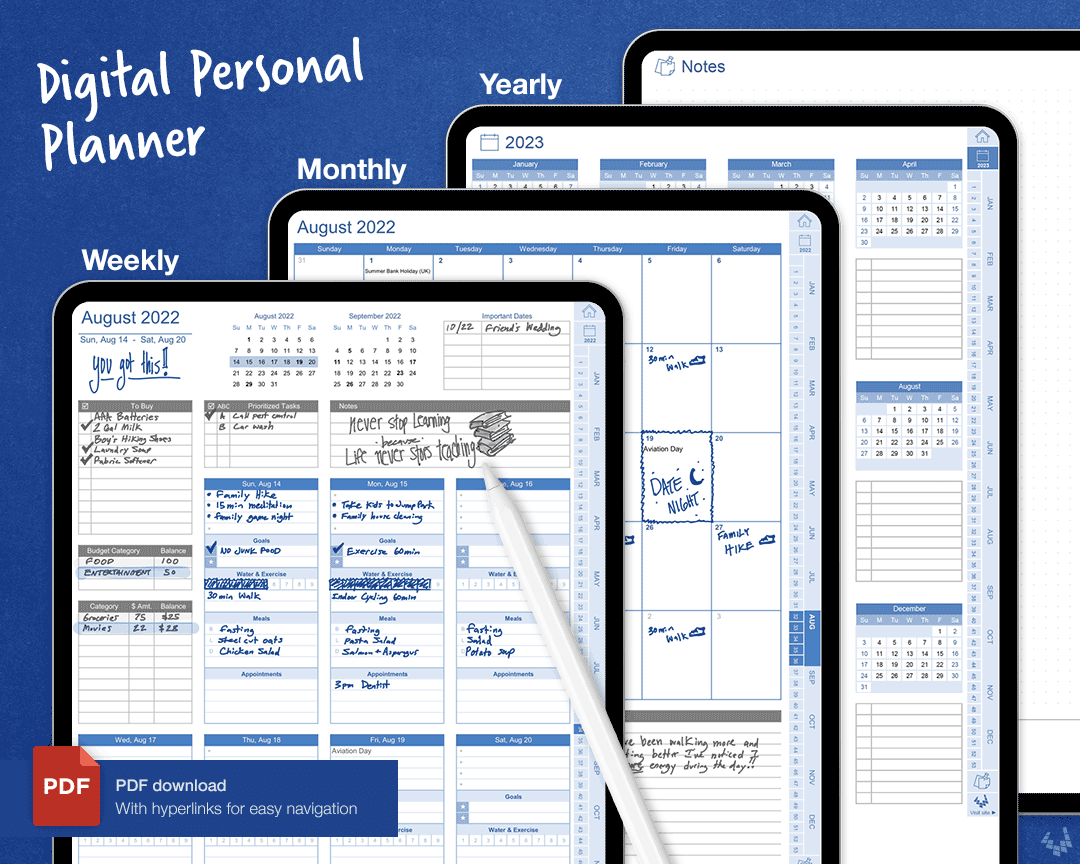
Best digital planner Free: What Actually Makes Sense?
===========================================================
As someone who's spent years juggling multiple projects and deadlines, I've learned that having the right tools can make all the difference. When it comes to staying organized, digital planners have become an essential part of my workflow. But with so many options available, finding the best digital planner free can be overwhelming. In this article, I'll share my expertise on what to look for in a digital planner, review some top options, and provide practical tips on how to get the most out of these tools.
Understanding Your Needs
Before diving into the world of digital planners, it's essential to assess your needs. What do you want to achieve with a digital planner? Are you looking for a simple calendar replacement or a comprehensive task management system? Identifying your goals will help you focus on the features that matter most.
Consider the following:
What type of tasks do you need to manage (e.g., work projects, personal errands, long-term goals)?
How do you currently organize your time and tasks (e.g., paper planner, digital calendar, to-do lists)?
Are there any specific features you require (e.g., reminders, collaboration tools, integration with other apps)?
Top Free Digital Planners
Here are some top free digital planners that can help you boost productivity:
1. Google Calendar
Google Calendar is a popular choice for managing schedules and events. Its clean interface, reminders, and integration with other Google apps make it an excellent option for individuals and teams.
2. Trello
Trello is a visual project management tool that uses boards, lists, and cards to organize tasks. Its flexibility and customization options make it suitable for a wide range of use cases.
3. Any.do
Any.do is a task management app that offers a simple and intuitive interface. Its features include calendar integration, reminders, and collaboration tools.
4. Microsoft To Do
Microsoft To Do is a task management app that integrates with Outlook and Calendar. Its features include customizable lists, reminders, and integration with other Microsoft apps.

5. Apple Calendar
Apple Calendar is a clean and simple calendar app that integrates with other Apple apps. Its features include reminders, event sharing, and integration with iCloud.
Comparison Table: Top Free Digital Planners
| Digital Planner | Features | Platform | Collaboration |
|---|---|---|---|
| Google Calendar | Reminders, integration with Google apps, calendar sharing | Web, Android, iOS | Yes |
| Trello | Visual boards, lists, cards, customization options | Web, Android, iOS | Yes |
| Any.do | Calendar integration, reminders, collaboration tools | Web, Android, iOS | Yes |
| Microsoft To Do | Customizable lists, reminders, integration with Microsoft apps | Web, Android, iOS | No |
| Apple Calendar | Reminders, event sharing, integration with iCloud | iOS, macOS | Yes |
"The key to maximizing the benefits of a digital planner is to find one that aligns with your workflow and habits. Experiment with different options until you find the one that feels like an extension of your productivity system." - Productivity Expert
Practical Tips for Using Digital Planners
Here are some practical tips to help you get the most out of your digital planner:
1. Set Clear Goals and Objectives
Before using a digital planner, define what you want to achieve. This will help you focus on the features that matter most and avoid feature overload.
2. Customize Your Digital Planner
Tailor your digital planner to your needs by customizing its settings, layouts, and features. This will help you stay organized and make the most of your time.
3. Integrate with Other Tools
Integrate your digital planner with other tools and apps to streamline your workflow. For example, connect your calendar with your task management app to automate scheduling.
4. Review and Adjust Regularly
Regularly review your digital planner to ensure it's working for you. Adjust your settings, habits, and workflows as needed to stay on track.
Avoiding Common Mistakes
Here are some common mistakes to avoid when using digital planners:
Over-customization: Avoid over-customizing your digital planner, as this can lead to feature overload and decreased productivity.
Insufficient training: Take the time to learn the features and functionality of your digital planner to maximize its benefits.
Not reviewing regularly: Regularly review your digital planner to ensure it's working for you and make adjustments as needed.
Frequently Asked Questions
Q: What is the best free digital planner for beginners?
Google Calendar and Any.do are excellent options for beginners due to their simple and intuitive interfaces.
Q: Can I use digital planners for team collaboration?
Yes, many digital planners offer collaboration features, such as Trello, Any.do, and Google Calendar.
Q: How do I choose the right digital planner for my needs?
Assess your needs, identify your goals, and experiment with different options until you find the one that aligns with your workflow and habits.
Q: Can I use digital planners on multiple devices?
Most digital planners offer cross-platform compatibility, allowing you to access your planner on multiple devices.
Final Check: Getting Started with Your Digital Planner
In conclusion, finding the best digital planner free requires understanding your needs, exploring top options, and following practical tips. By avoiding common mistakes and choosing the right digital planner for your needs, you can boost productivity, streamline your workflow, and achieve your goals. Take the first step today and start exploring the world of digital planners!
Related: A Practical Guide to the Best Free AI Design Tools
Related: Crafting an Effective Online Course Outline Template
