
You're about to embark on a well-deserved vacation, but the thought of packing sends a familiar knot of anxiety through your stomach. What if you forget something crucial? The what-ifs swirl as you mentally tick off items: passport, plane ticket, sunscreen... what else? For many of us, packing is a necessary evil, a tedious precursor to the excitement of travel. But what if you could tame the packing beast with a simple, powerful tool?
A Simple Solution to a Universal Problem
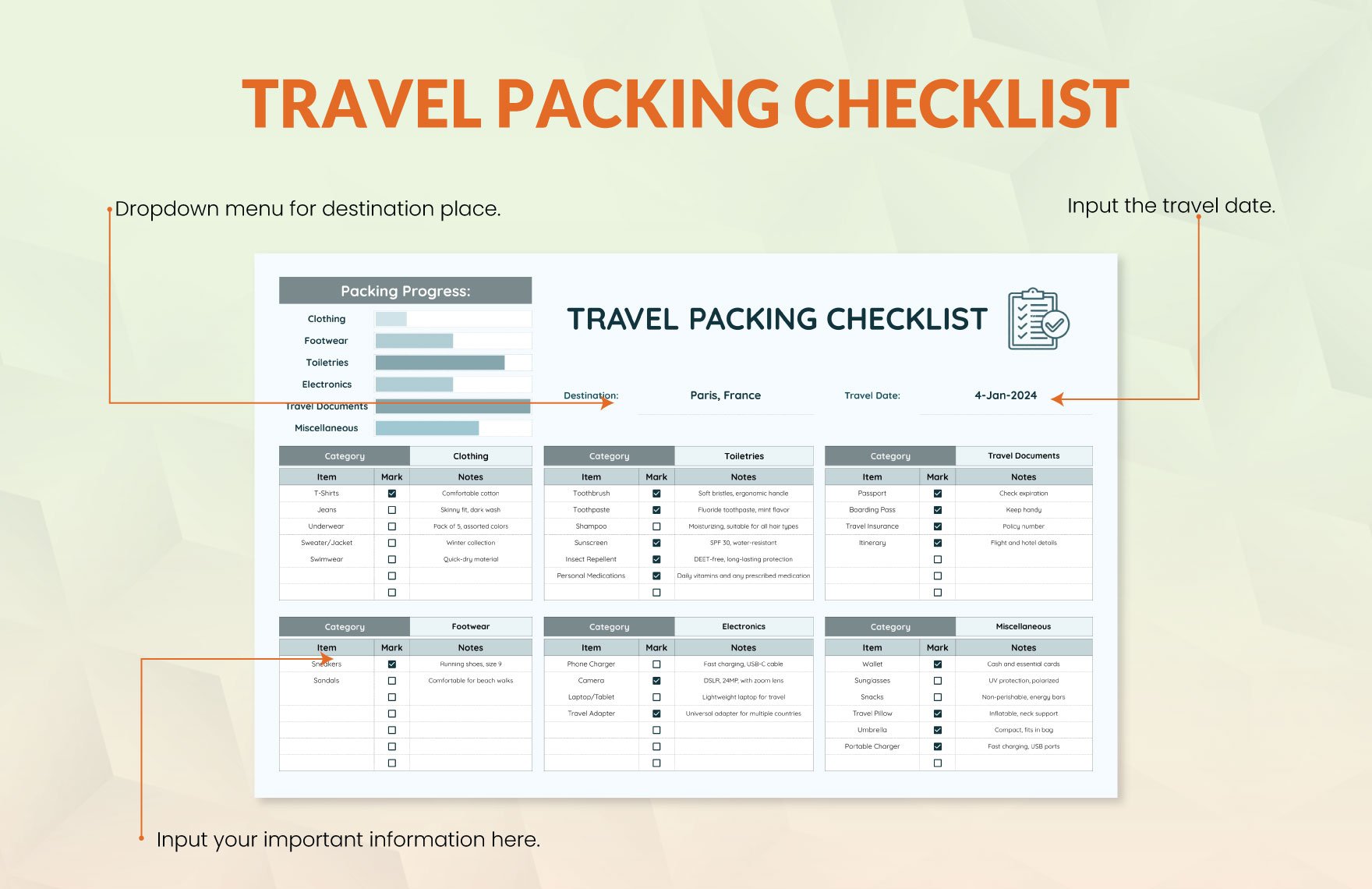
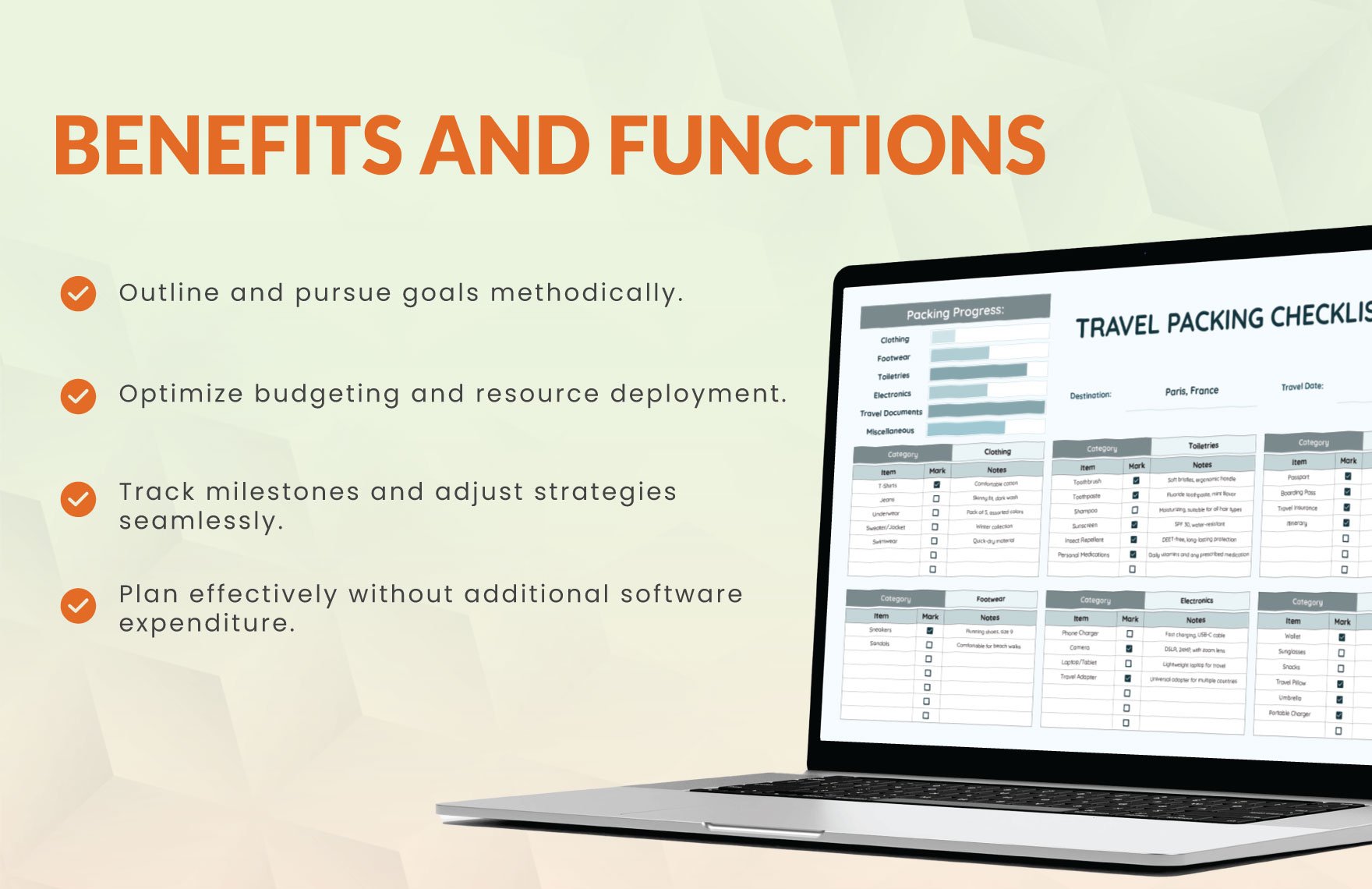
Enter the travel packing checklist Excel template. This humble hero of organization can transform your packing process from a chaotic scramble into a smooth, efficient routine. By creating a personalized checklist, you ensure that no essential item slips through the cracks. And the best part? You can tailor it to your specific needs, whether you're a weekend getaway enthusiast or a globetrotter.
But why an Excel template? In an age of countless packing apps and digital tools, why revert to a spreadsheet? The answer lies in familiarity and flexibility. For many of us, Excel is an old friend, a comfortingly familiar platform for organizing information. With a template, you can easily add or remove items, adjust categories to fit your travel style, and even share your checklist with travel companions.
Creating Your Packing Checklist Excel Template
Getting started is surprisingly straightforward. Begin by opening a new Excel spreadsheet and giving it a descriptive title, such as "Travel Packing Checklist." Next, create columns for the following:
Item: A list of items to pack
Category: Group similar items together (e.g., clothing, toiletries, documents)
Packed: A simple checkbox or "yes/no" column to track whether you've packed each item
You can add more columns as needed, such as a "Notes" section for special instructions or a "Quantity" column for items like socks or underwear.
Basic Template Structure
| Category | Item | Packed |
|---|---|---|
| Travel documents | Passport | |
| Travel documents | Plane ticket | |
| Clothing | Socks | |
| Clothing | Underwear | |
| Toiletries | Toothbrush |
As you build your template, consider your travel style and the types of trips you take. For example, if you often forget to pack chargers, add a "Electronics" category to ensure you never leave home without your phone charger again.
Customizing Your Template
The real power of an Excel template lies in its customizability. As you use your packing checklist, you'll likely find that certain items are consistently checked off or ignored. Use this insight to refine your template, eliminating unnecessary items and adding new ones as needed.
For instance, if you're a business traveler, you might create a separate category for work-related items, such as a laptop, suit jacket, or specific documents. Conversely, if you're a beach vacation enthusiast, you might prioritize items like sunscreen, beach towels, and a swimsuit.
Benefits Beyond the Packing Process
A well-crafted packing checklist Excel template offers benefits that extend far beyond the packing process itself. By streamlining your preparations, you:
Reduce pre-trip stress and anxiety
Save time in the long run by avoiding last-minute packing scrambles
Ensure that you never forget essential items, reducing the risk of costly replacements or missed opportunities
Real-World Example: A Family Vacation Packing Checklist
Meet Sarah, a busy mom planning a week-long family vacation to Disney World. With two kids in tow, she knows that packing will be a challenge. Using a packing checklist Excel template, Sarah creates a customized list that includes:
Clothing and essentials for each family member
A "Kids' Favorites" category for favorite toys and comfort items
- A "Miscellaneous" section for snacks, sunscreen, and other must-haves
With her template in hand, Sarah feels confident that she's prepared for a fun, stress-free vacation.
Frequently Asked Questions
Q: Can I use a packing checklist Excel template for international travel?
Absolutely! A packing checklist Excel template is versatile enough to accommodate any type of trip, including international travel. Simply adjust your list to include essential items like a passport, visa (if required), and travel adapter.
Q: How do I share my packing checklist with travel companions?
You can easily share your Excel template with others by emailing it or using a cloud storage service like Google Drive or Dropbox.
Q: Can I use a packing checklist app instead of an Excel template?
While packing apps can be convenient, a packing checklist Excel template offers the advantage of familiarity and customizability. Ultimately, the choice depends on your personal preference and needs.
Q: How often should I update my packing checklist Excel template?
Review and update your template regularly, especially after trips, to ensure it remains relevant and effective.
Conclusion
A travel packing checklist Excel template is more than just a tool – it's a travel companion that helps you stay organized, focused, and stress-free. By creating and customizing your own template, you'll be well on your way to mastering the art of packing and making the most of your travels. Say goodbye to packing anxiety and hello to a world of carefree adventures.
Related: A Practical Guide to Free Modern Resume Templates for Freshers
