
You're likely no stranger to the daunting task of crafting a resume from scratch. Hours spent staring at a blank page, unsure of how to make your experiences shine. What if you could bypass that stress and still land your dream job? Free Microsoft Word resume templates offer a straightforward solution.
Finding the Perfect Template
Microsoft Word provides a treasure trove of free resume templates that cater to various industries and styles. The trick lies in selecting one that aligns with your professional brand. When browsing through the template gallery, consider the following:
Industry norms: What style is commonly accepted in your field?
Your experience: Are you an entry-level candidate or a seasoned professional?
Personal brand: What tone do you want to convey – formal, creative, or a mix?
Templates range from simple and elegant to bold and modern. You can filter them by category, such as "Resumes" or "Modern," to streamline your search.
Customizing Your Template
Once you've picked a template, it's time to make it your own. Don't just fill in the blanks; use this opportunity to tell your story.
Tailor your objective: Align it with the job you're applying for.
Highlight achievements: Quantify your accomplishments wherever possible.
Skills section: Be specific and only include relevant skills.
Customization is key to standing out. For instance, if you're applying for a marketing position, make sure your template reflects creativity and a flair for design.
Common Mistakes to Avoid
When using free Microsoft Word resume templates, there are a few pitfalls to watch out for:
Overdesign: A template with too many graphics or fonts can be distracting.
Lack of action verbs: Begin each bullet point with a strong action verb like "managed," "created," or "developed."
Typos and grammar errors: A single mistake can disqualify you from consideration.
Advanced Tips for Template Users
To truly make your resume shine, consider these advanced strategies:
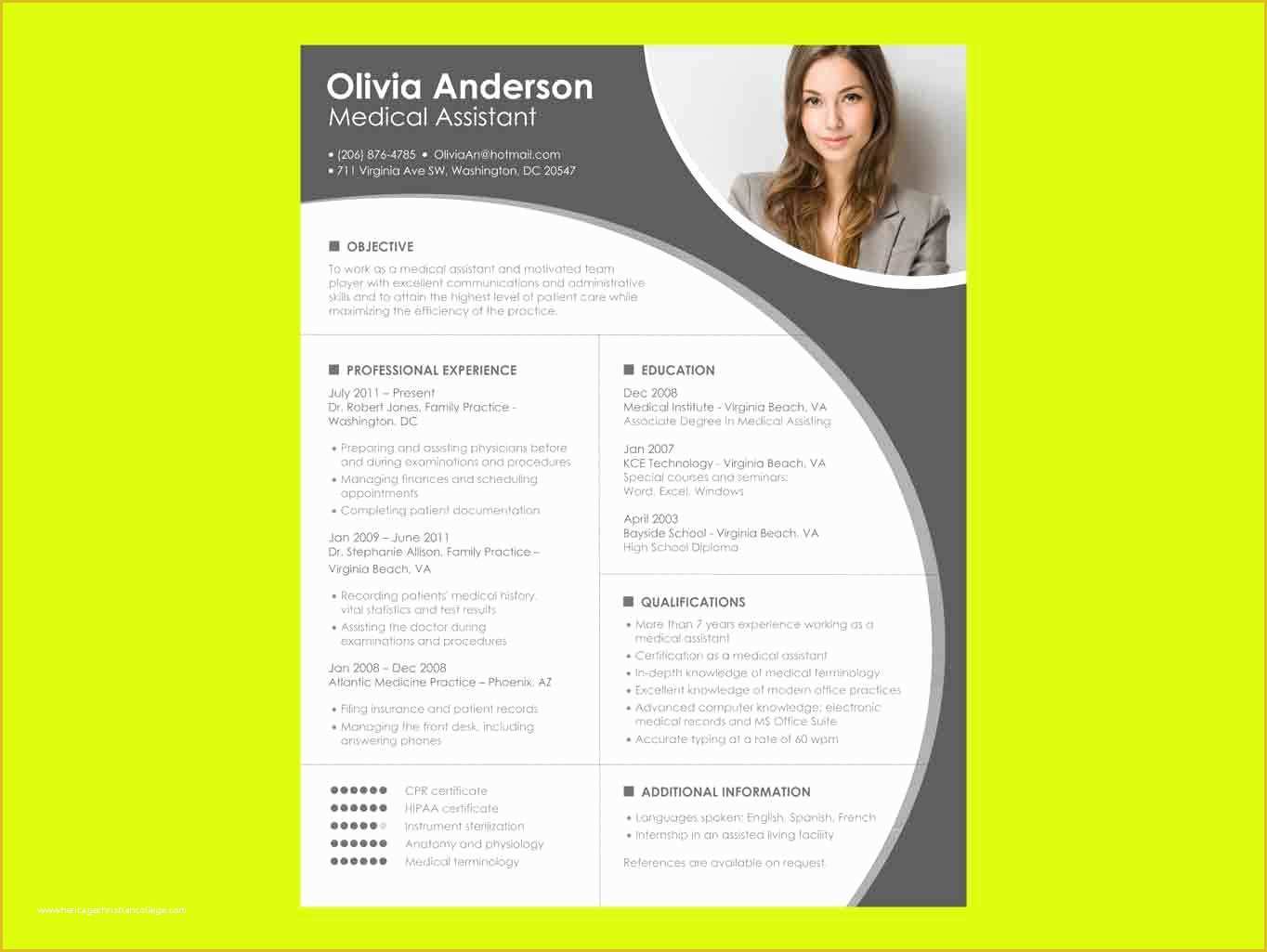
Using Tables and Graphics
While Microsoft Word templates come with design elements, you can enhance your resume by adding:
Tables: For listing skills or certifications in a structured format.
Icons: To draw attention to key sections like contact information.
Optimizing for ATS
Many companies use Applicant Tracking Systems (ATS) to screen resumes. To ensure your template is ATS-friendly:
Use standard fonts: Stick to Arial, Calibri, or Times New Roman.
Save in .docx: This format is usually ATS-compatible.
Choosing Between .docx and .pdf
When saving your resume, you might wonder whether to use .docx or .pdf. Here’s a quick comparison:
| <strong>Format</strong> | <strong>Benefits</strong> | <strong>Drawbacks</strong> |
|---|---|---|
| .docx | Editable, widely compatible | May not preserve formatting |
| Preserves layout, professional look | Not editable by hiring managers |
For most applications, .docx is a safe bet. However, if you're sure the company accepts PDFs, go for it.
Troubleshooting Template Issues
Sometimes, templates don’t cooperate. Here’s how to troubleshoot common problems:
Formatting gone wrong: Check for inconsistent margins or font sizes.
Images not displaying: Ensure all images are embedded or linked correctly.
FAQs
Q: Can I use these templates for other types of documents?
Absolutely. Microsoft Word templates are versatile and can be adapted for cover letters, portfolios, or even personal statements.
Q: Are free templates sufficient, or should I invest in premium ones?
Free templates are more than enough for most job applications. They offer a range of styles and are regularly updated.
Q: How do I know if a template is ATS-friendly?
Stick to standard fonts, avoid excessive graphics, and save in .docx format to increase the chances of your resume passing through ATS.
Q: Can I use a template if I'm not tech-savvy?
Yes, templates are designed to be user-friendly. Take your time to explore and experiment with different elements.
Final Tips for a Winning Resume
Your resume is often the first impression you make on a potential employer. With free Microsoft Word templates, you can create a polished, professional document without the hassle. Here are some final tips:
Keep it concise: Aim for one to two pages.
Proofread: Multiple times, if necessary.
Tailor: Customize your resume for each job application.
By combining a great template with these strategies, you'll be well on your way to crafting a standout resume that opens doors.
Related: Download Free Resume Templates in PDF: A Simple Guide
Related: Create a Winning Course Outline with a Free Template
