

Resume Template Tutorial for Beginners: What Actually Makes Sense?
Choosing the Right Resume Template
When you're just starting out in your job search, a well-crafted resume can make all the difference. But with so many templates available, it can be overwhelming to decide which one to use. A good resume template should strike a balance between visual appeal and clarity. You want to showcase your skills and experience without overwhelming the reader.
For beginners, a simple and clean template is often the best choice. Avoid templates with too much flair or overly complex designs. Instead, opt for a template that uses clear headings, bullet points, and white space effectively. This will make it easy for hiring managers to scan your resume and see your qualifications.
Understanding Resume Template Types
There are several types of resume templates to choose from, each with its own strengths and weaknesses. Here are a few popular options:
Chronological templates: These templates emphasize work experience, listing jobs in reverse chronological order. They're great for those with a lot of work experience, but may not be the best choice for entry-level candidates or those with gaps in their employment history.
Functional templates: These templates focus on skills and qualifications rather than work history. They're ideal for those with limited work experience or those who are changing careers.
Combination templates: These templates combine elements of chronological and functional templates. They're versatile and can work well for many job seekers.
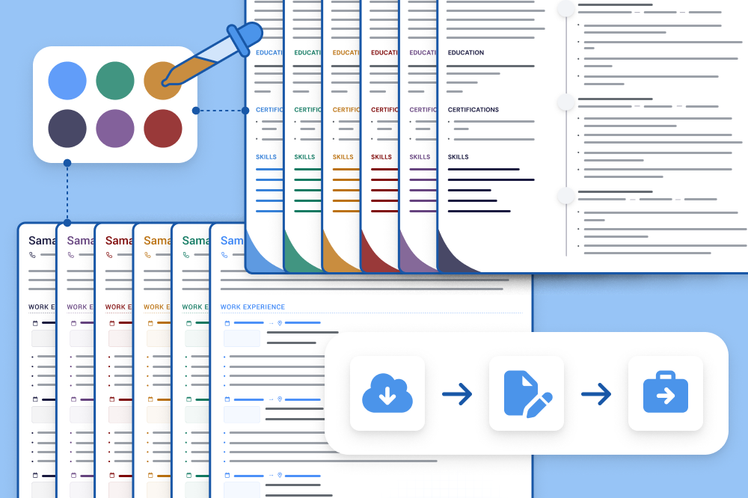
Customizing Your Resume Template
Once you've chosen a template, it's time to customize it to fit your needs. Here are a few tips:
Tailor your objective: Your objective should be specific to the job you're applying for. Use keywords from the job posting to describe your career goals and qualifications.
Highlight your skills: Use bullet points to list your relevant skills and qualifications. Be specific and use concrete examples to demonstrate your expertise.
Emphasize achievements: Instead of just listing job responsibilities, focus on the achievements and results you've achieved in your previous roles.
Optimization Tips for Maximum Impact
To get the most out of your resume template, you need to optimize it for applicant tracking systems (ATS) and hiring managers. Here are a few tips:
Use keywords: Use keywords from the job posting in your resume, especially in your summary, skills section, and work experience.
Use a clear format: Use a clear and easy-to-read format, with bullet points and white space to make your resume easy to scan.
Save in the right format: Save your resume in a format that's easily readable by ATS, such as a Word document or PDF.
Common Mistakes to Avoid
As a beginner, it's easy to make mistakes when creating your resume. Here are a few common pitfalls to avoid:
Typos and grammatical errors: A single mistake can make a negative impression on hiring managers. Proofread your resume multiple times to catch any errors.
Lack of relevance: Make sure your resume is tailored to the job you're applying for. Use keywords and highlight relevant skills and experience.
Inconsistent formatting: Use consistent formatting throughout your resume, including font, spacing, and bullet points.
Real-World Example: A Successful Resume Makeover
Let's take a look at a real-world example of a successful resume makeover. Jane, a recent college graduate, was applying for a marketing position. She started with a basic template, but it wasn't getting any traction. She revamped her resume to focus on her relevant skills and experience, and used keywords from the job posting. The result? She landed an interview and eventually got the job.
Comparison Table: Resume Template Types
| Template Type | Best for | Key Features |
|---|---|---|
| Chronological | Experienced job seekers | Emphasizes work experience, lists jobs in reverse chronological order |
| Functional | Entry-level candidates, career changers | Focuses on skills and qualifications rather than work history |
| Combination | Versatile, many job seekers | Combines elements of chronological and functional templates |
"A good resume template is like a good foundation for a house. It provides a solid base for you to showcase your skills and experience, and helps you stand out from the competition." - Career Coach
Practical Checklist: Resume Template Essentials
Choose a simple and clean template
Tailor your objective to the job you're applying for
Highlight your relevant skills and qualifications
Emphasize achievements rather than just listing job responsibilities
Use keywords from the job posting
Proofread multiple times to catch any errors
Frequently Asked Questions
Q: What is the best resume template for a beginner?
A simple and clean template is often the best choice for beginners. Avoid templates with too much flair or overly complex designs.
Q: How do I customize my resume template?
Tailor your objective, highlight your skills, and emphasize achievements. Use keywords from the job posting and a clear format.
Q: What are some common mistakes to avoid in a resume?
Typos and grammatical errors, lack of relevance, and inconsistent formatting are common mistakes to avoid.
Q: How do I optimize my resume for ATS?
Use keywords from the job posting, use a clear format, and save in a format that's easily readable by ATS.
Closing
Creating a effective resume is a crucial step in your job search. By choosing the right template, customizing it to fit your needs, and optimizing it for maximum impact, you can increase your chances of getting noticed by hiring managers. Remember to avoid common mistakes, and use the practical checklist and comparison table to guide you. With a little practice and patience, you'll be well on your way to landing your dream job.
Related: A Practical Guide to Effective Study Tips for Students
