

Finding Your Team's Rhythm with Online Checklists
Imagine your team working in perfect sync, every task completed on time, and everyone on the same page. Sounds like a dream, right? But what if I told you that this reality is within your grasp? Online checklist apps are here to revolutionize team collaboration and make your workflow smoother. These digital tools help teams stay organized, focused, and productive. Let's explore how to harness their power.
The Problem: Team Collaboration Challenges
We've all been there - juggling multiple tasks, dealing with miscommunication, and struggling to keep up with deadlines. Traditional methods like email, spreadsheets, or sticky notes can quickly become overwhelming. When teams grow, these manual processes often break down, leading to confusion and delays. The need for a unified, digital solution becomes apparent.
What Makes a Great Online Checklist App?
So, what should you look for in an online checklist app? Here are some essential features:
Ease of use: The app should be intuitive, with a minimal learning curve.
Customization: It should allow you to create checklists that fit your team's specific needs.
Collaboration: Team members should be able to contribute, assign tasks, and track progress in real-time.
Integration: The app should integrate with other tools your team uses, like project management software or calendar apps.
Scalability: It should grow with your team, handling increased workload and complexity.
Top Online Checklist Apps for Teams
Several online checklist apps stand out for their features, user experience, and value. Let's take a closer look:
1. Trello
Trello is a popular choice for its Kanban-style boards and card-based system. It's highly customizable, with a vast library of integrations and a user-friendly interface. Trello offers a free plan, making it accessible to small teams.
2. Asana
Asana is a robust task management tool that includes checklist features. It's designed for teams that need to manage complex projects and workflows. Asana offers advanced reporting and automation features, making it ideal for larger teams.
3. Monday.com
Monday.com is a versatile work operating system that includes checklist capabilities. It's highly customizable, with a drag-and-drop interface and integrations with popular tools. Monday.com offers a free trial, making it easy to test.
Comparison Time: Trello, Asana, and Monday.com
| App | Ease of Use | Customization | Collaboration | Integration | Scalability |
|---|---|---|---|---|---|
| Trello | High | High | High | High | Medium |
| Asana | Medium | High | High | High | High |
| Monday.com | High | High | High | High | High |
Practical Tips for Implementing Online Checklists
To get the most out of online checklist apps, follow these best practices:
Start simple: Begin with a basic checklist and gradually add complexity.
Involve your team: Encourage team members to contribute to the checklist creation process.
Integrate with existing tools: Connect your checklist app with other tools your team uses.
- Monitor progress: Regularly review checklist completion rates and adjust your workflow as needed.
Real-World Example: How Online Checklists Boosted Productivity
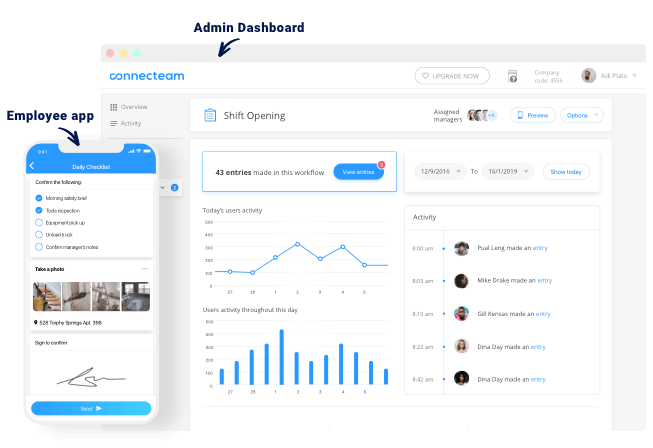
A marketing team at a mid-sized company was struggling to manage their campaign workflow. They were using a mix of email, spreadsheets, and sticky notes, leading to missed deadlines and miscommunication. After implementing Trello, they created a custom checklist for each campaign, assigning tasks and tracking progress in real-time. The result? A 30% increase in productivity and a significant reduction in stress.
Addressing Common Concerns
What if my team is distributed across different time zones?
Online checklist apps can help teams work together across different time zones. Look for apps with features like automated task assignments, deadlines, and real-time updates.
How do I ensure data security?
Choose an app that prioritizes data security, with features like encryption, two-factor authentication, and regular backups.
Can I use online checklist apps for personal projects?
Absolutely! Online checklist apps can be used for personal projects, helping you stay organized and focused.
Frequently Asked Questions
Q: What is the best online checklist app for small teams?
Trello and Monday.com are excellent choices for small teams, offering free plans and user-friendly interfaces.
Q: Can I integrate online checklist apps with my calendar?
Yes, many online checklist apps integrate with popular calendar apps, like Google Calendar or Microsoft Outlook.
Q: How do I choose the right online checklist app for my team?
Consider your team's specific needs, workflow, and existing tools. Look for an app that offers ease of use, customization, collaboration, and scalability.
Wrapping Up
Online checklist apps have the power to transform team collaboration, making it easier to stay organized, focused, and productive. By choosing the right app and following best practices, you can streamline your workflow, boost productivity, and achieve your team's goals. Take the first step today and discover the benefits of online checklist apps for yourself.
Related: Best Free Online Course Platforms for Upskilling
Related: Best App for Checklist Templates
