

As a job seeker, you know that having a great resume is crucial to landing an interview. But, if you're new to resume writing, it can be overwhelming to create a well-structured and visually appealing document. That's where resume template tutorials come in – to guide you through the process of creating a standout resume. In this article, we'll cover the basics of resume template tutorials for beginners, including choosing the right template, customizing it, and common mistakes to avoid.
Choosing the Right Resume Template
With so many resume templates available, it can be difficult to choose the right one. Here are a few things to consider:
Industry: Different industries have different norms when it comes to resume templates. For example, if you're applying for a job in a creative field, you may want to choose a template that showcases your creativity. On the other hand, if you're applying for a job in a more traditional industry, you may want to choose a more conservative template.
Experience level: If you're a recent graduate or entry-level job seeker, you may want to choose a template that highlights your education and skills. If you're more experienced, you may want to choose a template that showcases your work history and achievements.
Format: There are several formats to choose from, including chronological, functional, and combination. The chronological format is the most common and lists your work experience in reverse chronological order. The functional format emphasizes your skills and qualifications rather than your work history. The combination format is a mix of both.
Understanding Resume Template Structure
A typical resume template consists of several sections, including:
Header: This section includes your name, contact information, and professional summary or objective statement.
Education: This section lists your educational background, including degrees earned and relevant coursework.
Work experience: This section lists your work experience in reverse chronological order, including job titles, company names, and dates of employment.
Skills: This section lists your relevant skills, including technical, language, and soft skills.
Achievements: This section highlights your achievements and accomplishments, including awards, certifications, and publications.
Customizing Your Resume Template
Once you've chosen a template, it's time to customize it. Here are a few tips:
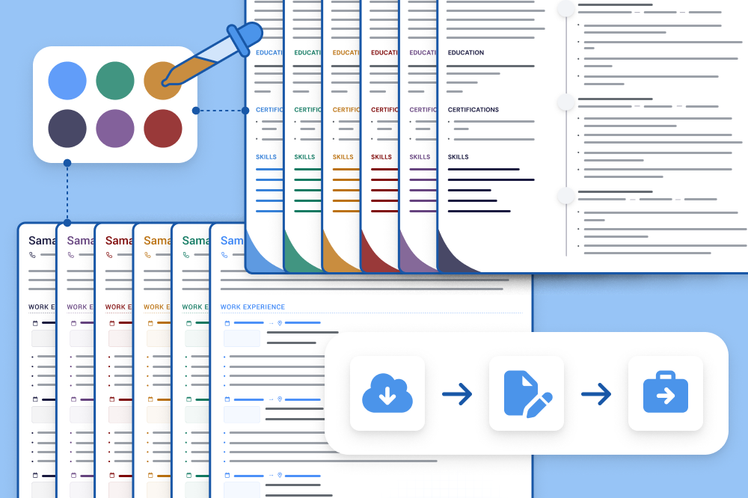
Tailor your template to the job: Customize your template to match the requirements of the job you're applying for. Use keywords from the job description and highlight your relevant skills and experience.
Use action verbs: Use action verbs such as "managed," "created," and "developed" to describe your achievements and responsibilities.
Quantify your achievements: Use numbers and statistics to quantify your achievements. For example, instead of saying "increased sales," say "increased sales by 25%."
Common Mistakes to Avoid
Here are a few common mistakes to avoid when using a resume template:
Not customizing the template: Failing to customize the template to match the requirements of the job you're applying for.
Using a template that's too generic: Using a template that's too generic or common, which can make your resume blend in with others.
Not proofreading: Not proofreading your resume carefully, which can lead to typos and grammatical errors.
Pros and Cons of Using a Resume Template
Here are a few pros and cons of using a resume template:
Pros:
Saves time: Using a resume template can save you time and effort in creating a well-structured and visually appealing resume.
Provides guidance: A resume template can provide guidance on what sections to include and how to format your resume.
Helps you stand out: A well-designed resume template can help you stand out from other job seekers.
Cons:
Limited creativity: Using a resume template can limit your creativity and make your resume look like others.
May not be tailored to the job: If you don't customize your template, it may not be tailored to the requirements of the job you're applying for.
Comparison of Popular Resume Templates
Here are a few popular resume templates and their features:
| Template | Features |
|---|---|
| <strong>Microsoft Word Template</strong> | Easy to use, wide range of templates, compatible with most operating systems |
| <strong>Google Docs Template</strong> | Cloud-based, collaborative, automatic saving |
| <strong>Canva Template</strong> | Highly customizable, drag-and-drop interface, wide range of design options |
Practical Tips for Using Resume Templates
Here are a few practical tips for using resume templates:
Use a clear and concise format: Use a clear and concise format that's easy to read and scan.
Use keywords: Use keywords from the job description to help your resume pass through applicant tracking systems (ATS).
Proofread carefully: Proofread your resume carefully to avoid typos and grammatical errors.
Building Trust with Your Resume
Your resume is often the first impression you make on a potential employer, so it's essential to make a good one. Here are a few tips for building trust with your resume:
Be honest: Be honest and accurate when describing your experience and qualifications.
Showcase your achievements: Showcase your achievements and accomplishments rather than just listing your job responsibilities.
Use professional language: Use professional language and avoid jargon and slang.
Frequently Asked Questions
Here are a few frequently asked questions about resume template tutorials for beginners:
Q: What is the best resume template for beginners?
The best resume template for beginners is one that's easy to use and customize, and provides guidance on what sections to include and how to format your resume.
Q: How do I choose the right resume template?
Choose a resume template that matches the requirements of the job you're applying for, and that showcases your skills and experience.
Q: What are common mistakes to avoid when using a resume template?
Common mistakes to avoid when using a resume template include not customizing the template, using a template that's too generic, and not proofreading carefully.
Final Tips and Next Steps
Creating a great resume takes time and effort, but with the right template and guidance, you can create a standout resume that helps you land an interview. Remember to tailor your template to the job, use action verbs and quantify your achievements, and proofread carefully. Good luck in your job search!
By now, you should feel much more confident about creating and customizing your own resume template. Keep in mind that your resume is a living document that you should update regularly to reflect changes in your experience, skills, and career goals. Use the tips and guidance provided in this article to create a great resume that helps you achieve your career objectives.
Related: Best Free Online Design Tools: What Actually Makes Sense?
Related: What to Know About Free Best Resume Templates
Related: Some Side Hustle Ideas
Related: Website Building: What Actually Makes Sense?
Related: Easy Meal Prep Ideas for Beginners to Save Time and Stress
