
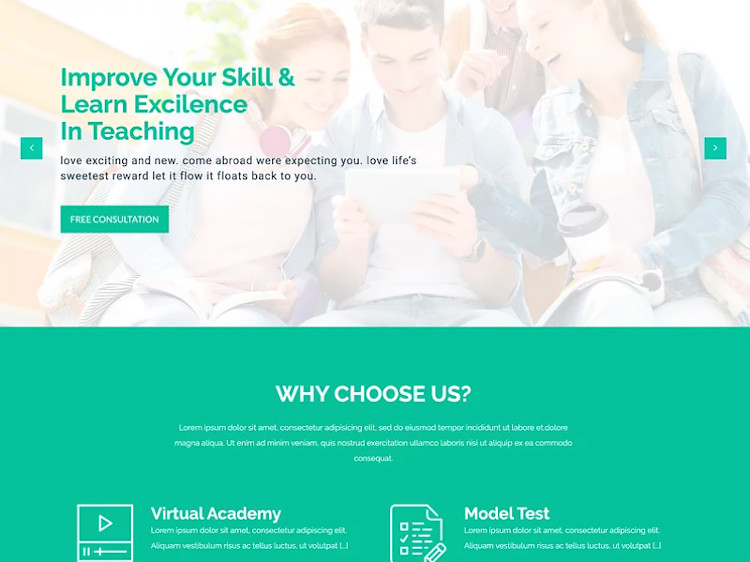
Choosing the Right Online Training Website Template
When it comes to creating an online training website, selecting the right template is crucial. A well-designed template can make a significant difference in the user experience, engagement, and ultimately, the success of your online training platform. In this article, we'll explore the key factors to consider when choosing an online training website template and provide expert advice on customization and optimization.
Understanding Your Online Training Website Needs
Before diving into the world of online training website templates, it's essential to understand your specific needs. What type of training do you offer? Who is your target audience? What features do you require? Answering these questions will help you narrow down your search and find a template that meets your requirements.
For example, if you're creating an online course platform, you may need a template with features such as course catalog, enrollment, and payment processing. On the other hand, if you're offering live training sessions, you may require a template with features such as video conferencing, scheduling, and registration.
Key Features to Look for in an Online Training Website Template
When evaluating online training website templates, there are several key features to look for:
Responsive design: Ensure that the template is mobile-friendly and adapts to different screen sizes and devices.
Customization options: Look for templates with easy-to-use customization options, such as drag-and-drop editors or theme settings.
Content management system (CMS) integration: Consider templates that integrate seamlessly with popular CMS platforms, such as WordPress or Joomla.
E-commerce integration: If you plan to sell courses or training materials, look for templates with built-in e-commerce integration or compatibility with popular e-commerce plugins.
Security and accessibility: Ensure that the template follows best practices for security and accessibility, such as SSL encryption and WCAG 2.1 compliance.
Popular Online Training Website Templates
Here are some popular online training website templates to consider:
| Template Name | Features | Price |
|---|---|---|
| LearnDash | Course catalog, enrollment, payment processing, e-commerce integration | $199/year |
| WP Courseware | Course creation, enrollment, payment processing, e-commerce integration | $129/year |
| Edwizo | Course catalog, enrollment, payment processing, e-commerce integration, video conferencing | $299/year |
| Tutor LMS | Course creation, enrollment, payment processing, e-commerce integration, video conferencing | $149/year |
"When choosing an online training website template, consider the scalability and flexibility of the template. Will it grow with your business, and can it adapt to changing needs and technologies?" - Rachel, e-learning expert

Customizing Your Online Training Website Template
Once you've selected a template, it's time to customize it to meet your specific needs. Here are some tips:
Tailor your content: Ensure that your content is clear, concise, and engaging. Use a mix of text, images, and multimedia to keep learners engaged.
Configure settings: Configure settings such as colors, fonts, and layouts to match your brand identity.
Add functionality: Add functionality such as payment gateways, e-commerce plugins, or video conferencing tools to enhance the user experience.
Optimizing Your Online Training Website Template
To get the most out of your online training website template, it's essential to optimize it for search engines and user experience. Here are some tips:
SEO optimization: Ensure that your template is optimized for search engines, with features such as meta tags, header tags, and clean coding.
Page speed optimization: Optimize your template for page speed, with features such as caching, minification, and compression.
User experience (UX) optimization: Ensure that your template provides a seamless user experience, with features such as clear navigation, intuitive interfaces, and mobile responsiveness.
Common Mistakes to Avoid
When creating an online training website, there are several common mistakes to avoid:
Insufficient customization: Failing to customize your template to meet your specific needs.
Poor content quality: Failing to create high-quality, engaging content that meets the needs of your learners.
Inadequate testing: Failing to test your template and website thoroughly, leading to bugs and errors.
Troubleshooting and Maintenance
To ensure that your online training website template continues to perform optimally, it's essential to perform regular maintenance and troubleshooting. Here are some tips:
Regular updates: Regularly update your template and plugins to ensure that you have the latest features and security patches.
Monitoring and analytics: Monitor your website's performance and analytics to identify areas for improvement.
- Support and resources: Ensure that you have access to support and resources, such as documentation, forums, and customer support.
Frequently Asked Questions (FAQs)
What are the best online training website templates for WordPress?
Some popular online training website templates for WordPress include LearnDash, WP Courseware, and Tutor LMS.
How do I create an online training website with a template?
To create an online training website with a template, select a template that meets your needs, customize it to match your brand identity, and add content and functionality as required.
What features should I look for in an online training website template?
When evaluating online training website templates, look for features such as responsive design, customization options, CMS integration, e-commerce integration, and security and accessibility.
How do I optimize my online training website template for search engines?
To optimize your online training website template for search engines, ensure that it has features such as meta tags, header tags, and clean coding, and perform regular SEO audits and optimization.
Conclusion
Related: Choosing the Right Online Course HTML Template for Your
Related: Online Learning Platform Website Templates: What Actually
