
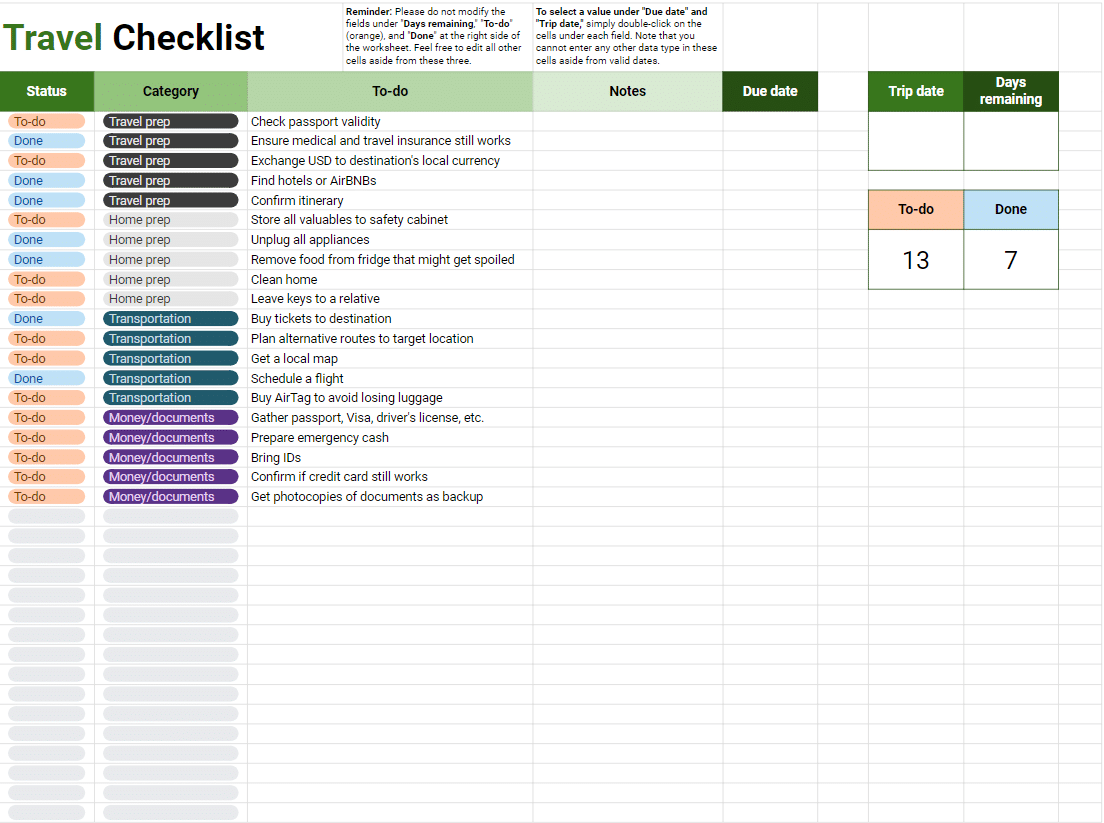
Getting Started with Your Travel Checklist Template in Excel
Imagine standing at the airport, about to embark on your dream vacation, only to realize you've left your passport on the kitchen counter. The panic sets in as you think about the missed flights, lost luggage, and endless paperwork. A travel checklist template in Excel can be a lifesaver in such situations. It's more than just a list; it's your roadmap to a stress-free trip. With a well-crafted checklist, you can ensure that every essential item and task is accounted for, saving you time, money, and a lot of headaches.
Why Excel for Your Travel Checklist?
You might wonder why use Excel for something as simple as a travel checklist. The answer lies in its versatility and functionality. Excel allows you to create a customized template that fits your specific travel needs. You can easily add or remove items, calculate costs, and even track your expenses. For instance, if you're planning a trip to multiple destinations, you can create separate sheets for each leg of your journey, making it easier to organize and reference your information.
Creating Your Travel Checklist Template
Starting your travel checklist template in Excel is straightforward. Here's a basic outline to get you started:
Destination and Travel Dates: Begin by including your destination, travel dates, and contact information for emergencies.
Travel Documents: List all necessary documents such as your passport, visa (if required), travel insurance documents, and photocopies of important IDs.
Packing List: Create a detailed packing list. Consider including categories for clothing, electronics, medications, and travel-sized essentials.
Financial Planning: Outline your budget, including estimated costs for transportation, accommodation, food, and activities.
Itinerary: Include a basic itinerary with flight numbers, hotel reservations, and planned activities.
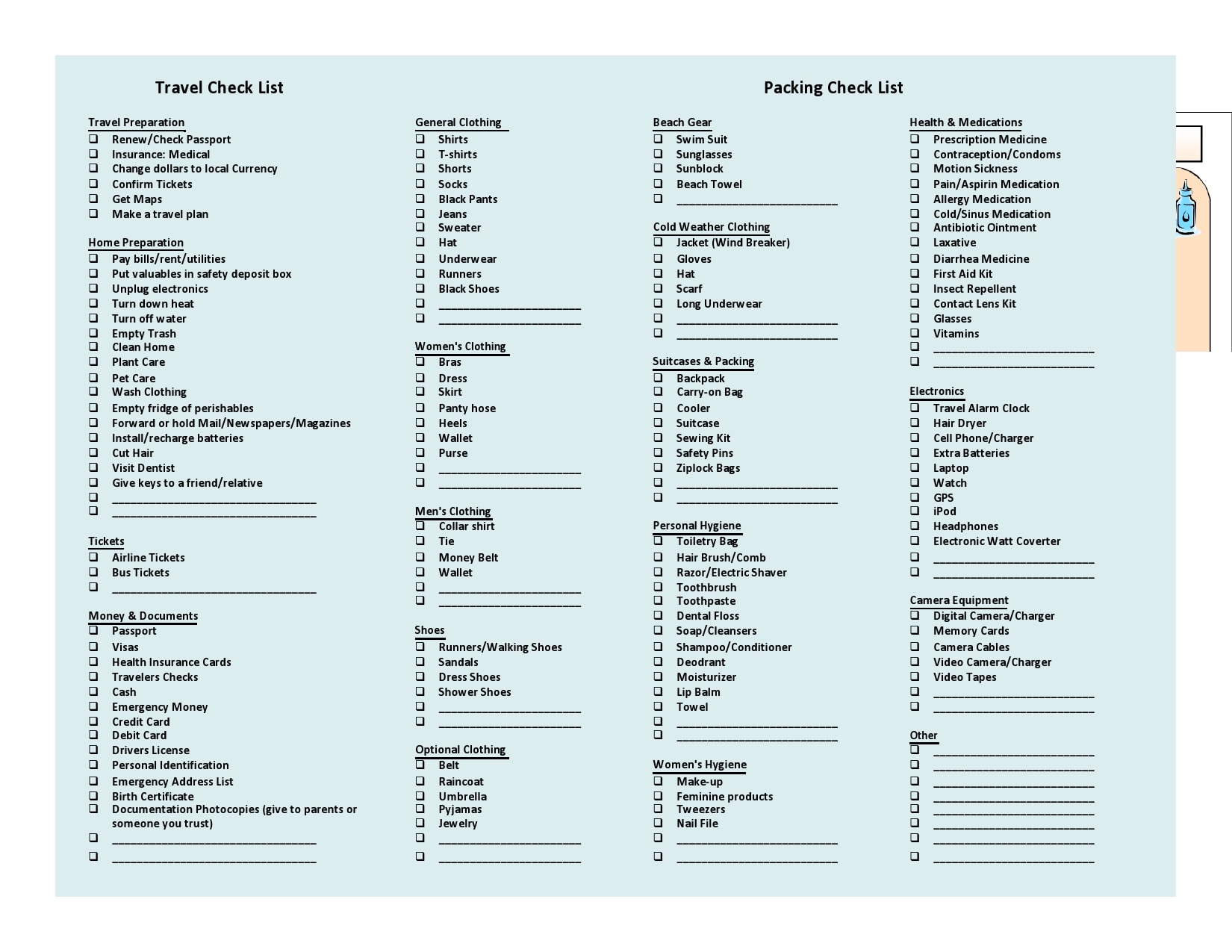
Practical Tips for Using Your Travel Checklist
To make the most of your travel checklist template in Excel, consider these practical tips:
Customize for Each Trip: Don't use the same checklist for every trip. Customize it based on the destination, duration, and type of travel (business, leisure, etc.).
Keep It Digital: While it's a good idea to have a physical copy, keep your checklist digitally as well. This way, you can access it from anywhere and easily make updates.
Share with Travel Companions: If you're traveling with others, share your checklist with them. This ensures everyone is on the same page and can help with packing and preparation.
Comparison of Travel Checklist Tools
| <strong>Feature</strong> | <strong>Excel Template</strong> | <strong>Travel Apps</strong> | <strong>Physical Checklists</strong> |
|---|---|---|---|
| Customization | Highly customizable | Customizable within app limits | Limited customization |
| Accessibility | Accessible on any device with Excel | Accessible on smartphones and tablets | Physical copies can be lost or damaged |
| Cost | Free (if you have Excel) or low-cost | Free to subscription-based | Cost of printing |
Insight: The Psychological Benefit of Checklists
"A checklist is a tool that serves as a reminder of what needs to be done. It's not just about remembering; it's about creating a mental peace of mind that comes from knowing you're prepared." - Dr. Atul Gawande, The Checklist Manifesto
Using a travel checklist template in Excel or any other tool can have a significant psychological benefit. It reduces anxiety by ensuring you haven't forgotten anything critical. This peace of mind is invaluable, especially when traveling to unfamiliar places.
Advanced Features of Excel for Your Checklist
Excel offers several advanced features that can enhance your travel checklist:
Conditional Formatting: Use this feature to highlight important tasks or deadlines.
Formulas and Calculations: Automatically calculate your estimated costs or track your expenses.
- Pivot Tables: If you're planning a complex trip with multiple activities and expenses, pivot tables can help you summarize your data.
Frequently Asked Questions
Q: Can I use Excel Online for my travel checklist?
Yes, Excel Online is a great option for accessing your checklist from any device with internet connectivity.
Q: Are there any travel checklist templates available for download?
Yes, there are numerous pre-designed templates available online that you can download and customize for your needs.
Q: How often should I update my travel checklist template?
Update your template before each trip to ensure it meets your current travel needs.
Q: Can I share my Excel travel checklist with others?
Yes, you can easily share your checklist via email or by uploading it to a shared cloud storage service.
Conclusion
A travel checklist template in Excel is more than just a planning tool; it's your key to a stress-free and enjoyable trip. By leveraging the power of Excel, you can create a customized checklist that meets your specific travel needs, ensuring that nothing is left to chance. Whether you're a frequent traveler or embarking on your first big trip, taking the time to create and use a travel checklist template can make all the difference. So, next time you're preparing for an adventure, remember to start with a solid plan. Your future self will thank you.
Related: Free Course Outline Template for Engaging Learning Experiences
Related: A Practical Guide to Free Printable Course Templates
