
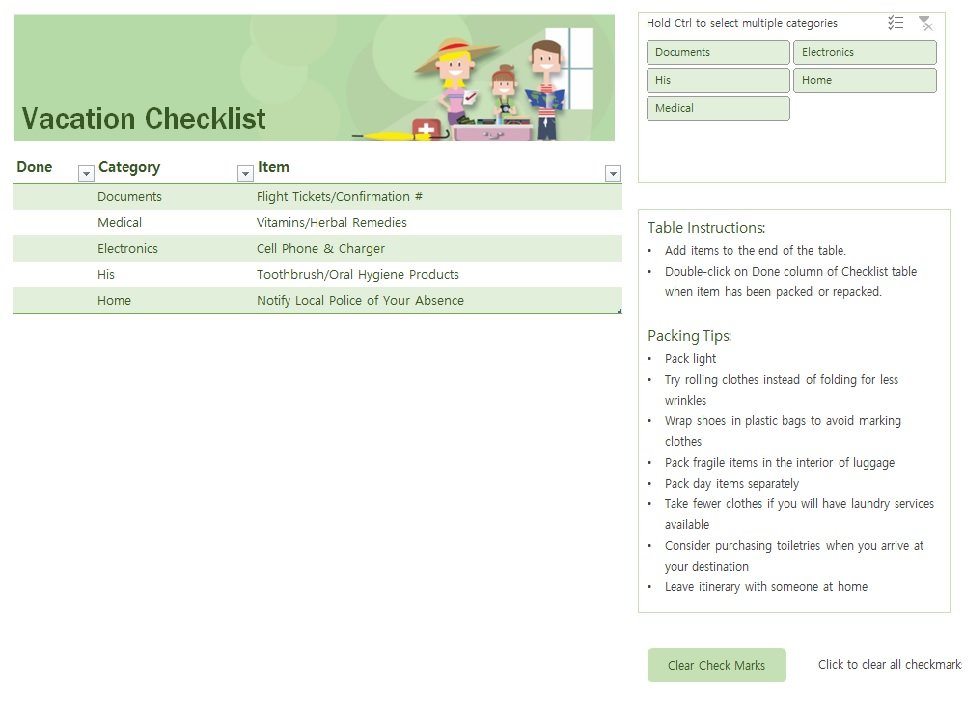
Planning a Trip? Why You Need a Travel Checklist Template in Excel
When was the last time you forgot something essential for a trip? Perhaps it was your passport, a charger, or even a change of clothes. Forgetting crucial items can turn an exciting trip into a stressful one. A travel checklist template in Excel can be your savior in such situations. It helps you stay organized, ensures that you don't forget anything important, and makes your travel planning process smoother.
Benefits of Using a Travel Checklist Template
Using a travel checklist template offers numerous benefits. Here are a few:
Saves Time: With a checklist, you can quickly see what needs to be done and what has been completed, saving you a lot of time and effort in the long run.
Reduces Stress: By knowing exactly what you need to pack and prepare, you can significantly reduce the stress associated with travel planning.
Customizable: Excel templates are highly customizable. You can add or remove sections as per your requirements, making it a perfect tool for different types of trips.
Creating Your Travel Checklist Template in Excel
Creating a travel checklist template in Excel is easier than you think. Here's a simple step-by-step guide to get you started:
Step 1: Setting Up Your Template
- Open Excel and create a new spreadsheet.
- Give your spreadsheet a name, such as "Travel Checklist Template."
- Set up columns for different categories like "Item," "Status," and "Notes."
Step 2: Adding Items to Your Checklist
- Start adding items that you generally need for a trip, such as clothes, documents, and electronics.
- You can also include a section for medications, travel insurance details, and emergency contacts.
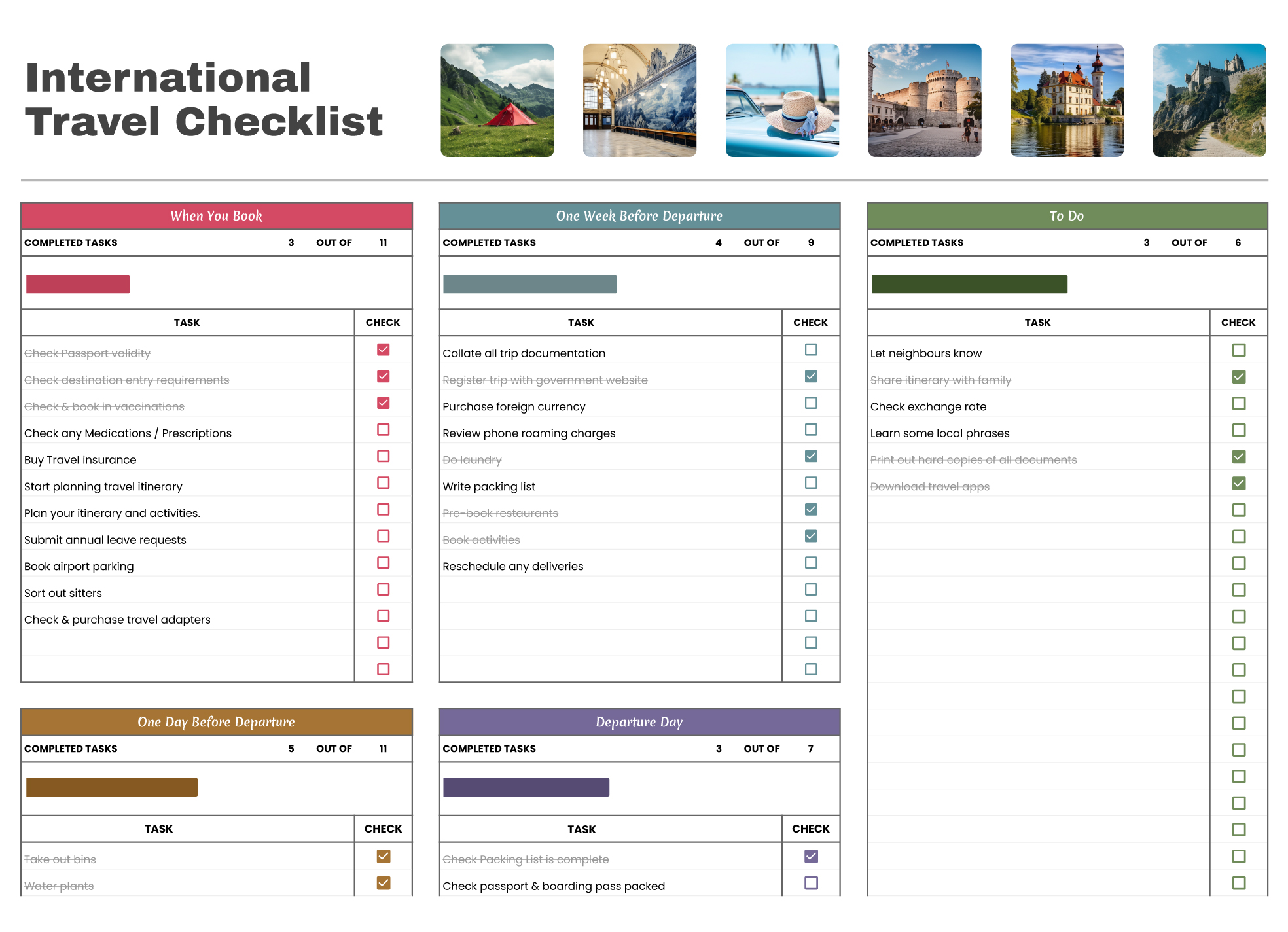
Step 3: Making Your Checklist Interactive
- Use Excel's checkbox feature to create interactive checkboxes for your items.
- This will make it easier to mark off items as you complete them.
Essential Sections of a Travel Checklist Template
A comprehensive travel checklist template should include the following essential sections:
Travel Documents: Passport, visa, travel insurance, driver's license, etc.
Packing Essentials: Clothes, toiletries, electronics, medications, etc.
Financial Arrangements: Credit cards, cash, traveler's checks, etc.
Accommodation and Transportation: Hotel reservation, flight tickets, car rental details, etc.
Tips for Using Your Travel Checklist Template Effectively
Here are some tips to help you use your travel checklist template effectively:
Review and Update Regularly: Regularly review your checklist and update it as needed. This will ensure that it remains relevant and effective.
Customize for Each Trip: Customize your checklist for each trip based on the destination, duration, and type of trip.
Share with Travel Companions: If you're traveling with others, share your checklist with them to ensure everyone is on the same page.
Common Mistakes to Avoid When Using a Travel Checklist Template
While a travel checklist template can be incredibly helpful, there are some common mistakes to avoid:
Not Customizing the Checklist: Failing to customize the checklist for each trip can lead to unnecessary items being included or essential items being forgotten.
Not Reviewing the Checklist: Not reviewing the checklist before each trip can lead to mistakes and forgotten items.
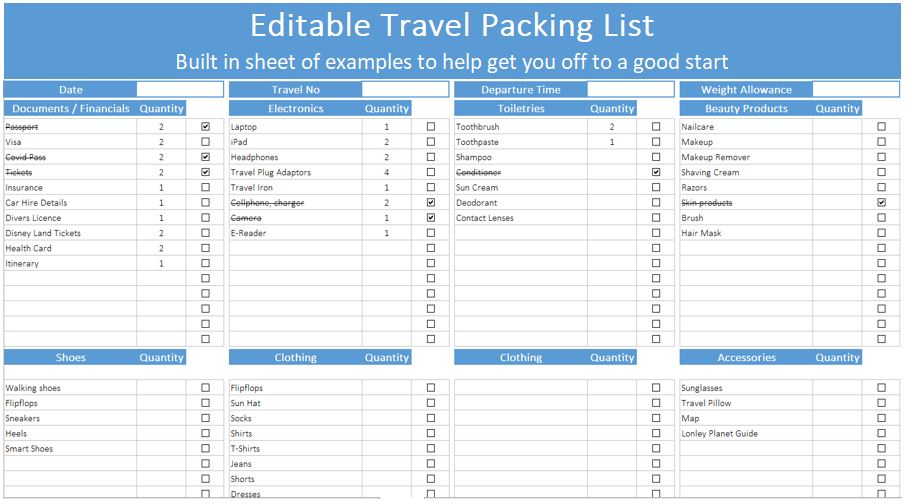
Travel Checklist Template Example
Here's an example of what a basic travel checklist template in Excel might look like:
| Item | Status | Notes |
|---|---|---|
| Passport | ||
| Visa | ||
| Travel Insurance | ||
| Plane Ticket | ||
| Hotel Reservation | ||
| T-Shirts | ||
| Pants | ||
| Undergarments | ||
| Socks |
Frequently Asked Questions
Q: Can I use a travel checklist template for any type of trip?
Yes, a travel checklist template can be customized for any type of trip, whether it's a business trip, vacation, or adventure travel.
Q: How do I ensure my travel checklist template is comprehensive?
To ensure your checklist is comprehensive, consider the destination, duration, and type of trip. You can also research and include items that are specific to your destination.
Q: Can I share my travel checklist template with others?
Yes, you can share your checklist with travel companions or family members to ensure everyone is on the same page.
Q: How do I keep my travel checklist template up-to-date?
Regularly review and update your checklist to ensure it remains relevant and effective. You can also add or remove sections as needed.
Conclusion
A travel checklist template in Excel is a powerful tool that can help you stay organized, reduce stress, and make your travel planning process smoother. By following the steps outlined in this article, you can create a comprehensive and customizable checklist that meets your needs. Whether you're a frequent traveler or an occasional adventurer, a travel checklist template is an essential tool that can help you have a more enjoyable and stress-free trip.
Related: What to Know About Effective Study Tips for Exam Preparation
Related: How to Study Art Online Without the Confusion
Related: Free Deck Design Template: What Actually Makes Sense?
